Friends Everywhere press kit
Contact: John Haney — john@appsfromouterspace.com
Fact sheet
| App | Friends Everywhere — Keep up with your people |
|---|---|
| What it is | Friends Everywhere is how you keep up with your people: a private feed for the ones you actually know — no likes, no comments, no algorithm — plus one daily nudge to call someone you've been meaning to reach. |
| Category | Social Networking |
| Price | Free, with no ads. 1.0 is free in full. Paid features are being considered for later versions. |
| Platforms | iPhone, iPad |
| Requirements | iOS 26 or iPadOS 26; an iCloud account |
| Privacy | No developer server and no developer database. Posts and photos live in each user's own iCloud and are shared read-only to invited contacts. No analytics, no tracking, no third-party SDKs. |
| App Store | https://apps.apple.com/app/id6776855674 |
| App page | https://appsfromouterspace.com/apps/friends-everywhere/ |
| Developer | Apps From Outer Space, LLC — one-person studio, St. Louis, Missouri |
About Friends Everywhere
Friends Everywhere is unsocial media. A private feed you share with friends without posing, plus one daily nudge to call someone. There are no likes and no comments, so the reply button on a post opens Messages, the phone, or FaceTime. Free, with no in-app purchases, no subscription, no ads, and no analytics. For iPhone and iPad on iOS 26 and iPadOS 26. An iCloud account is required.
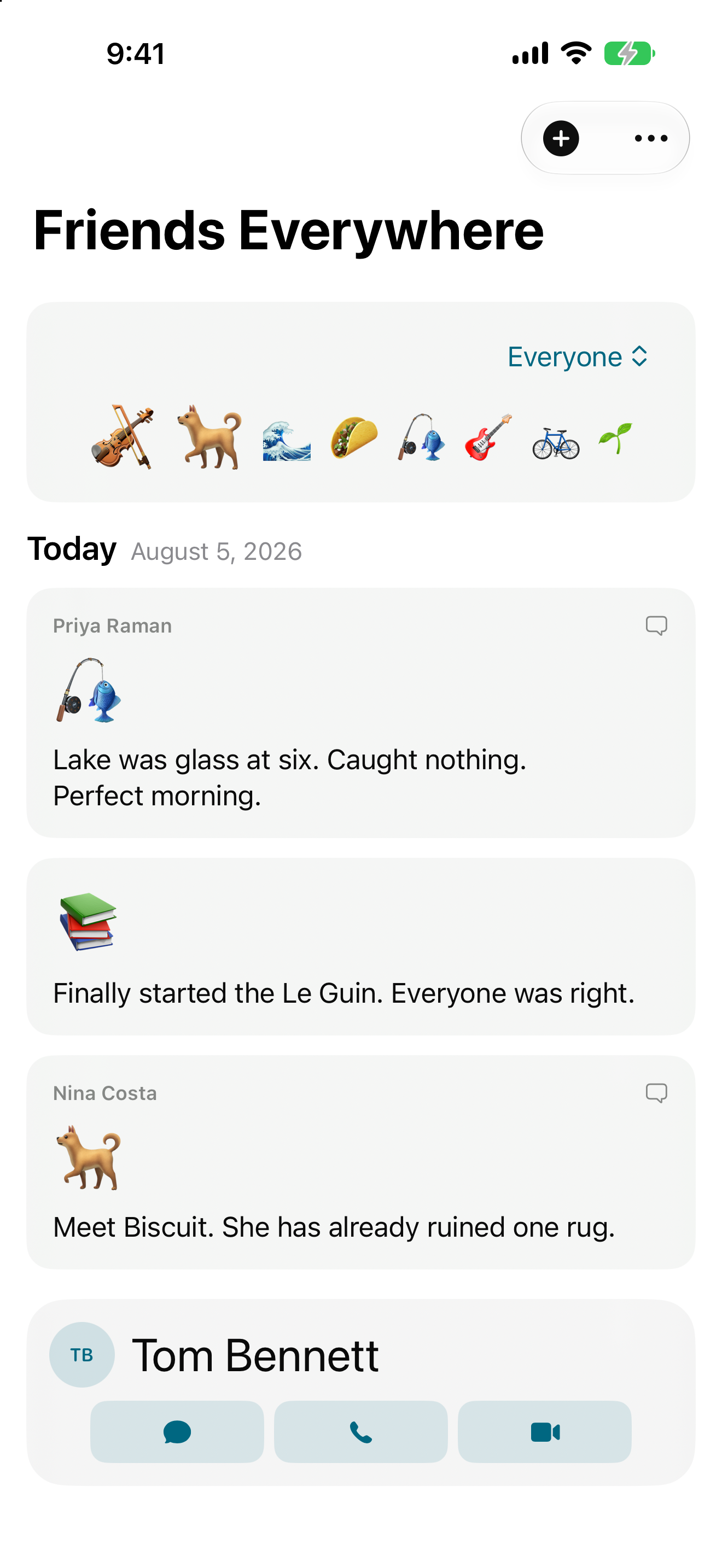
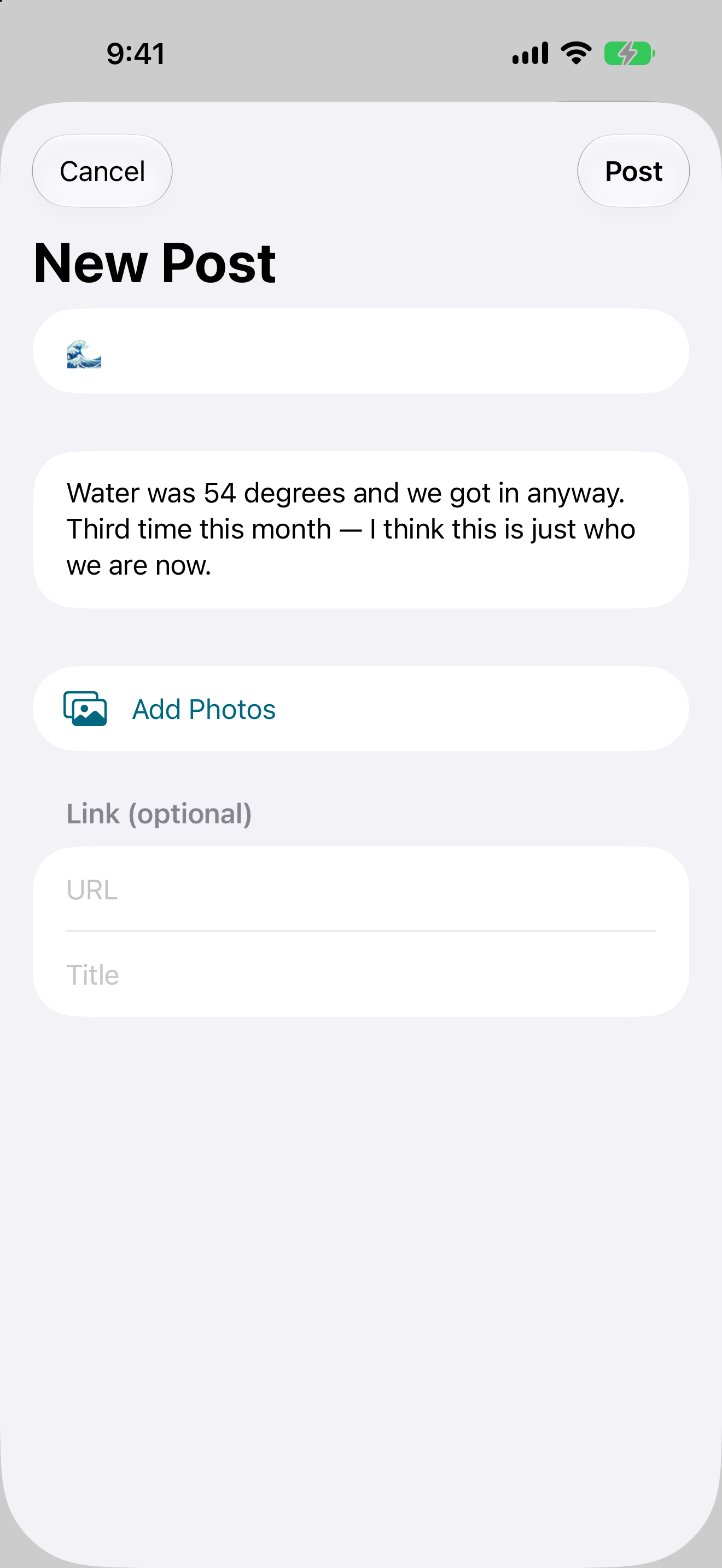
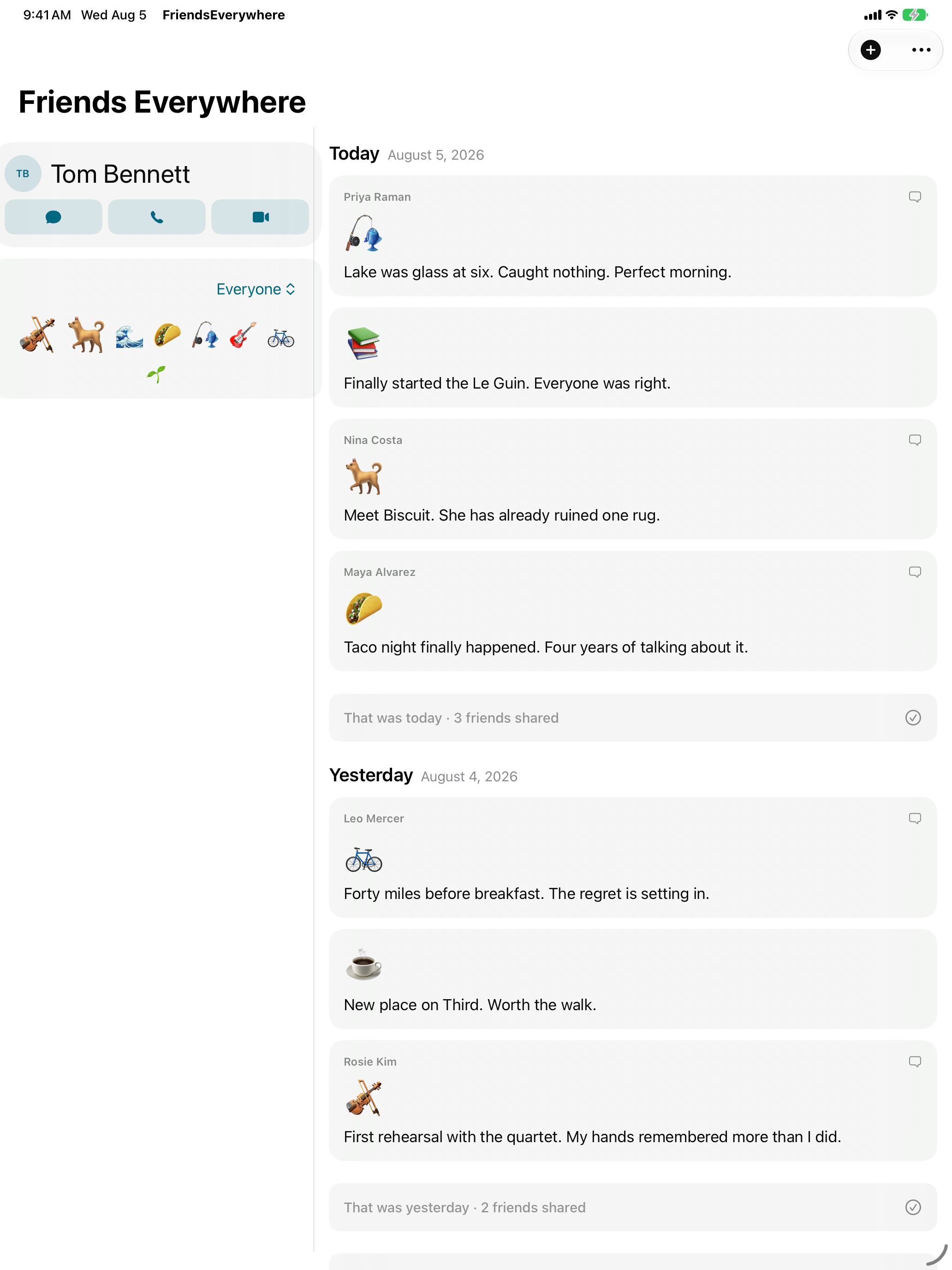
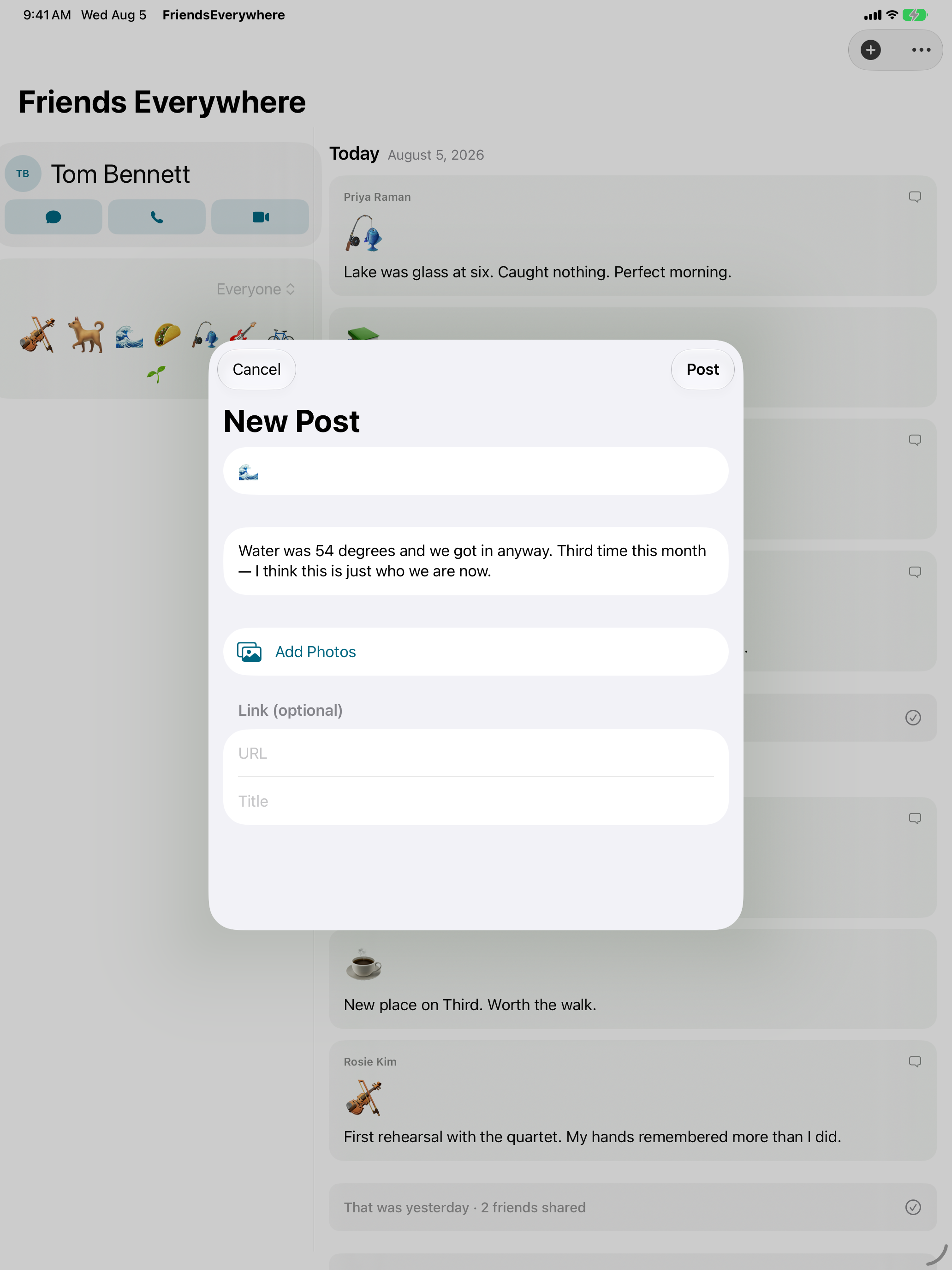
The app does two things. Your feed is where you share. An emoji is the only required part, with words, photos, and a link optional. Only people you've personally invited can see it. There's no search, no discovery, no suggested friends, and nothing public anywhere in the app. Posts group by day, newest first. Each day ends with a card saying how many friends shared ("That was Tuesday · 3 friends shared"), and finished days collapse to a single line. Checking in takes seconds, and then you're done.
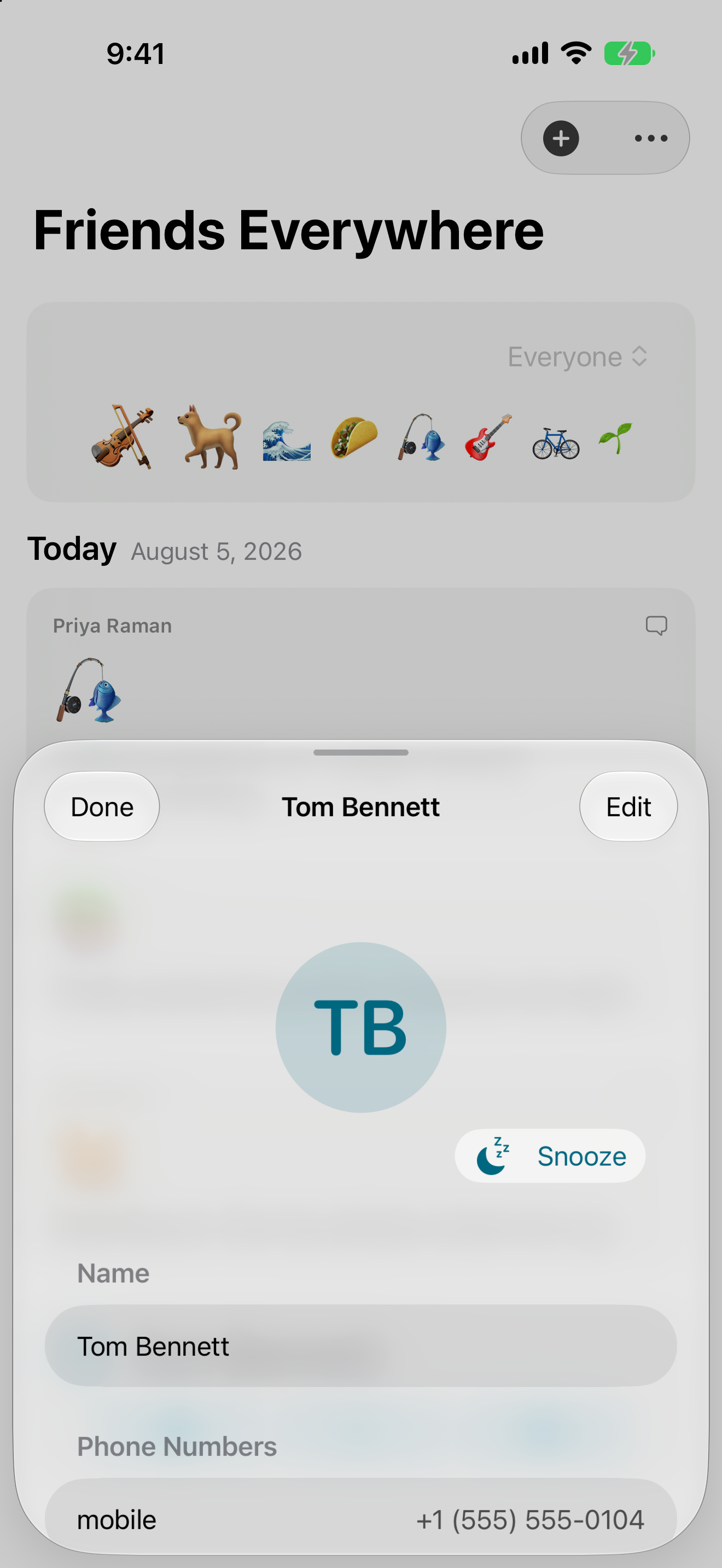
Keep Up suggests one person a day to get in touch with. Message, call, or FaceTime them, or snooze in one tap and see someone else. Everyone in the rotation starts equal. Snoozing someone lowers their odds, catching up resets them, so the order shapes itself around who you've been reaching. Next time you open the app, a card asks whether you actually did. Yes or no.
There is no Friends Everywhere server and no Friends Everywhere database. Posts and photos stay in each user's own iCloud account, shared read-only to invited contacts through Apple's CloudKit sharing, one person at a time, revocable at any moment. The contact rotation never leaves the device. The developer cannot read anyone's posts because there is nowhere on the developer's side for them to exist.
Key features
- No likes, no comments. The reply button on every post opens Messages, the phone, or FaceTime.
- The feed ends. Posts group by day, newest first. Each day closes with a card saying how many friends shared, and finished days collapse to one line.
- An emoji is a whole post. Words, photos, and a link are all optional. No hashtags needed.
- Keep Up: one person a day. A single suggestion with Message, Call, FaceTime, and Snooze. Pull for another if you want one.
- Nothing public. No search, no profiles, no usernames, no avatars. Friends appear under the name you've saved for them in your own Contacts.
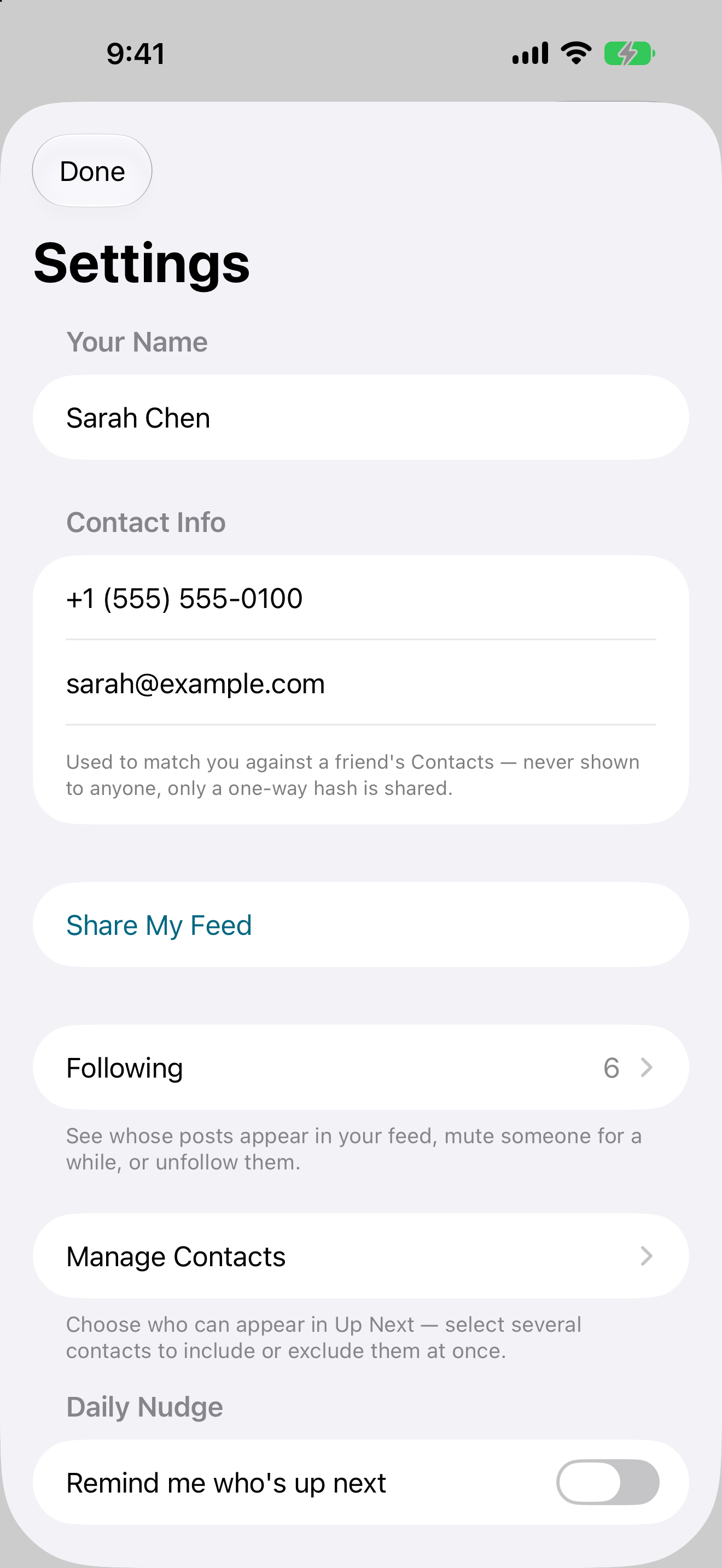
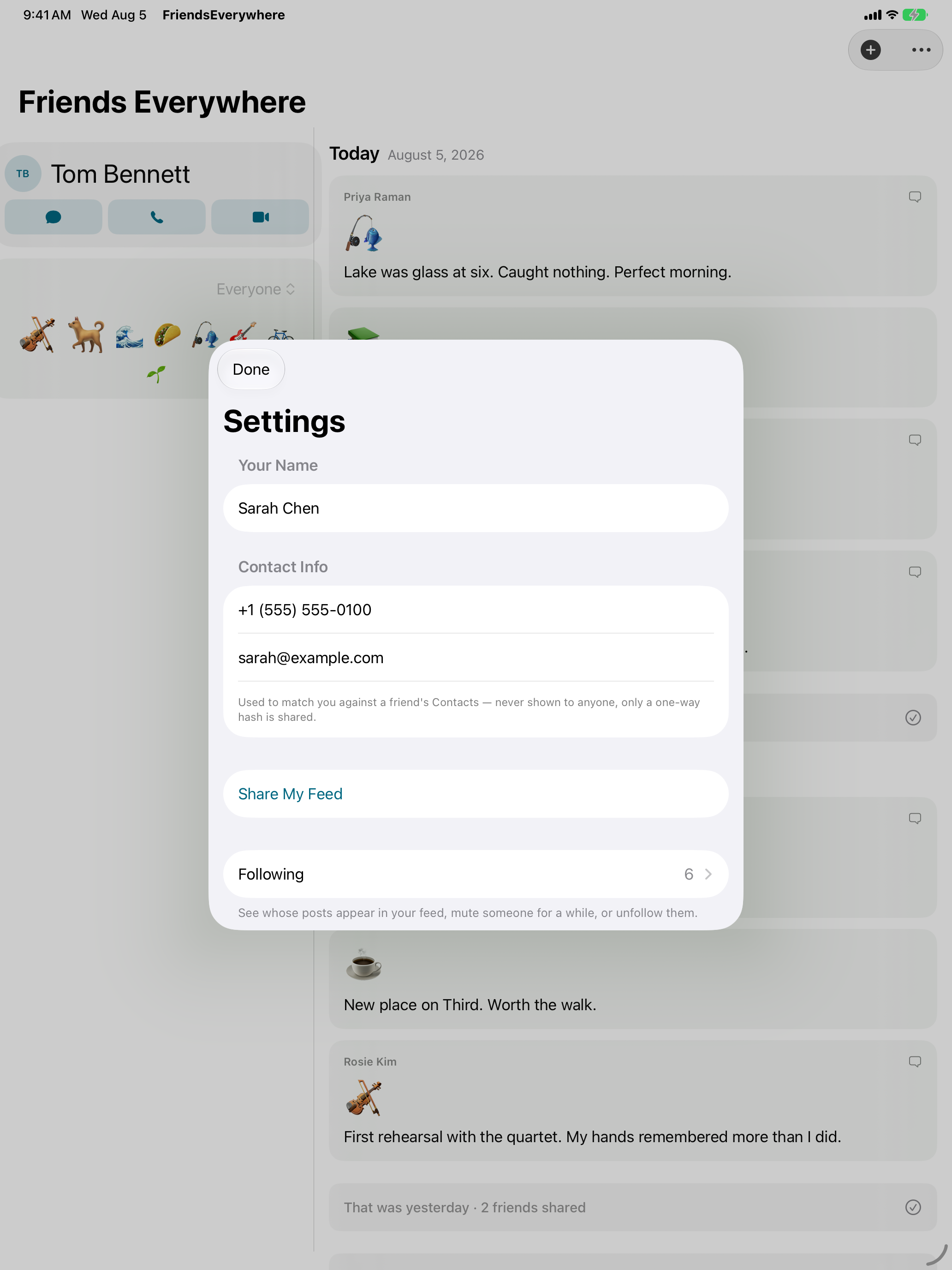
- You pick your audience one person at a time. Invitations are private share links sent over Messages. From iPhone or iPad, Apple's sharing sheet lists everyone who has access to your feed and lets you remove any of them. You can stop following anyone else's feed from Settings.
- No server, nothing collected. Content stays in each user's iCloud. No analytics, no tracking, no advertising identifier, no third-party SDKs. There is no Friends Everywhere server to collect anything with.
- Two kinds of notification, each with its own switch in Settings. A daily Keep Up nudge at a time you pick during setup, and an alert when a friend posts, at most once per friend per day. No streaks.
- Muting. You can mute someone for a day, a week, or a month. Their posts leave your feed and they stop notifying you, on every device you own. The mute expires by itself and they're never told.
- Four widgets. Keep Up with in-widget snooze, an emoji cloud of what your people have been up to, and a shuffle of recent photos they've shared. On the iPhone Lock Screen, Keep Up and a Latest Emoji widget that shows your friends' most recent post.
- iPhone and iPad. One screen on iPhone. On iPad, Keep Up sits in a side column next to the feed.
Quotes — attributable to John Haney
"Many of my friends and family have quit social media, and I want us all to still be able to share the occasional update or photo, and get back to just that. Only the updates you want to see, instead of attention traps."
"There is no like button, and there won't be. If you want to let someone know you liked their post, you can drop them a message or call them. A like is a drive-by reaction, or at its worst, a performance for the others seeing the same post."
"The feed ends. You will be done with this app in seconds. It's purposely giving you time back so you can connect with real people."
"I cannot see what you post. Your posts are in iCloud, shared only with the people you choose. I don't want to see them. And I don't have to keep a server going for this app. It's a lovely thing that will keep going as long as iCloud does."
"Keep Up is one person to contact. My hope is that people open the app when they have a few minutes to connect with someone they care about, see a name here they haven't talked to in a while, drop them a message or start a FaceTime, and start to feel a little less alone."
Q&A
How is this different from a group chat? A group chat wants your attention. Everyone sees everything, and there's pressure to respond. Friends Everywhere is quieter. You share to your own feed, each friend decides separately whether to share theirs with you, and nobody is told when you read something. It's closer to trading newsletters than to a conversation.
If there's no server, how do posts get to my friends? Through Apple's CloudKit sharing. Your posts are written to your own iCloud account, and each person you invite receives a private, read-only share of it. Your friends' posts come from their iCloud accounts the same way. Apple carries the data. The studio runs no infrastructure at all.
What stops someone from harassing me? You control who can see your feed. Invitations go out one person at a time, and from iPhone or iPad you can remove anyone's access at any moment, which cuts them off entirely. You can also stop following anyone else's feed in one step, which deletes their posts from your device. There's no way for a stranger to find you: no search, no usernames, no public directory, and no way to comment on anything.
Is it really free? What's the catch? It's free, with no in-app purchases and no ads. There's no catch, and no data being sold, because none is collected. Hosting costs the studio nothing. Apple's iCloud carries everything, inside each user's own storage. Paid features are being considered for later versions, such as multiple audience groups and letting non-Apple friends read your feed on the web, but 1.0 is free in full.
Why isn't there an Android or web version? The whole architecture rests on each user's iCloud account, which is what makes the zero-server claim true. A read-only web viewer is on the table for a later release. A full Android client would mean building the exact infrastructure the app was designed to avoid.
Why isn't it on Mac, Apple Watch, Apple Vision Pro or Apple TV? All four have working builds, but none is ready yet. The Mac app needs more polish, the watch app needs testing on real hardware, the Apple Vision Pro version is an iPad layout in a window, and the Apple TV version is a thin read-only viewer. They're planned for follow-up releases rather than shipped thin.
About the developer
Apps From Outer Space is a one-person app studio in St. Louis, Missouri, run by John Haney, who has been shipping Apple software since System 7 and released one of the original App Store apps in 2008. That app, Flashlight, has been downloaded more than 100 million times. The studio was incorporated in 2010. John designs, codes, tests, and supports every app himself.
Images
Every image below links to its full-resolution file — save any of them individually, or download everything as a zip. Screenshots are raw device captures with no frames or captions.
App icon — 512×512 PNG. The zip includes 512 and 256 renditions.
Contact
John Haney — john@appsfromouterspace.com