← All press kits

Optic Illusion press kit

Contact: John Haney — john@appsfromouterspace.com

Fact sheet

App Optic Illusion — Classic illusions, built and explained.
What it is Optic Illusion is a museum of visual perception — classic illusions, built and explained. Seventy-two of them, each rendered from its real geometry rather than reproduced as a picture, plus a four-minute test that measures your own illusion magnitudes.
Category Entertainment
Price Free. No in-app purchases, no subscription, no ads.
Platforms iPhone, iPad and Mac
Requirements iOS 26, iPadOS 26 or macOS 26
Privacy No accounts, no ads, no third-party SDKs and no cross-app tracking. The one thing that leaves the device is an anonymous count of which exhibits get opened, kept in the developer's own iCloud container
App Store https://apps.apple.com/app/id6797143310
App page https://appsfromouterspace.com/apps/optic-illusion/
Developer Apps From Outer Space, LLC — one-person studio, St. Louis, Missouri

About Optic Illusion

Optic Illusion is a museum of visual perception: 72 exhibits in seven categories, each built from its real geometry rather than reproduced as a flat picture, and each paired with a plain-language account of the mechanism behind it. It also measures you — a four-minute set of adjustment tasks that returns your own illusion magnitudes instead of an average. Free, with no in-app purchases and no ads, for iPhone, iPad and Mac.

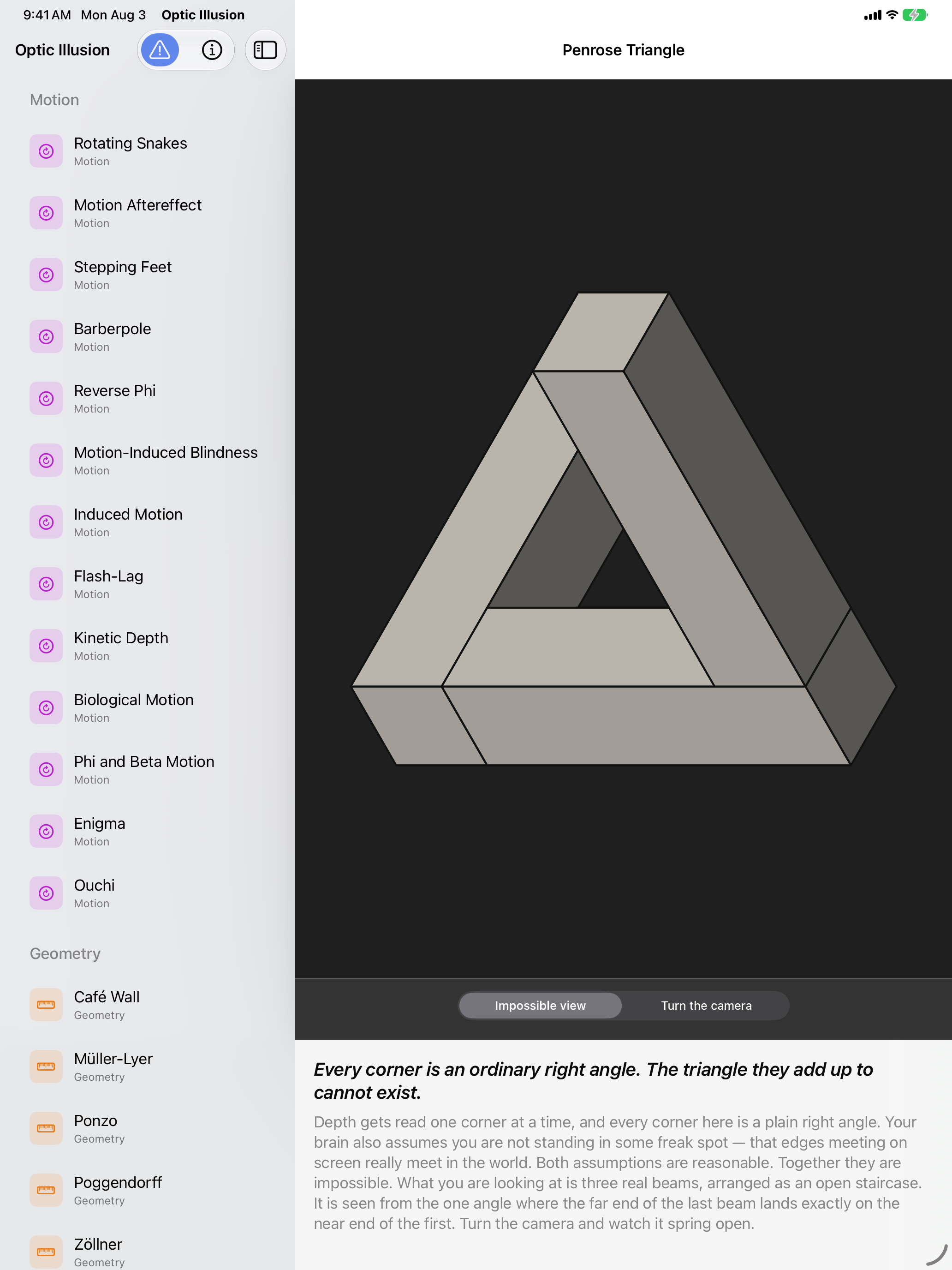
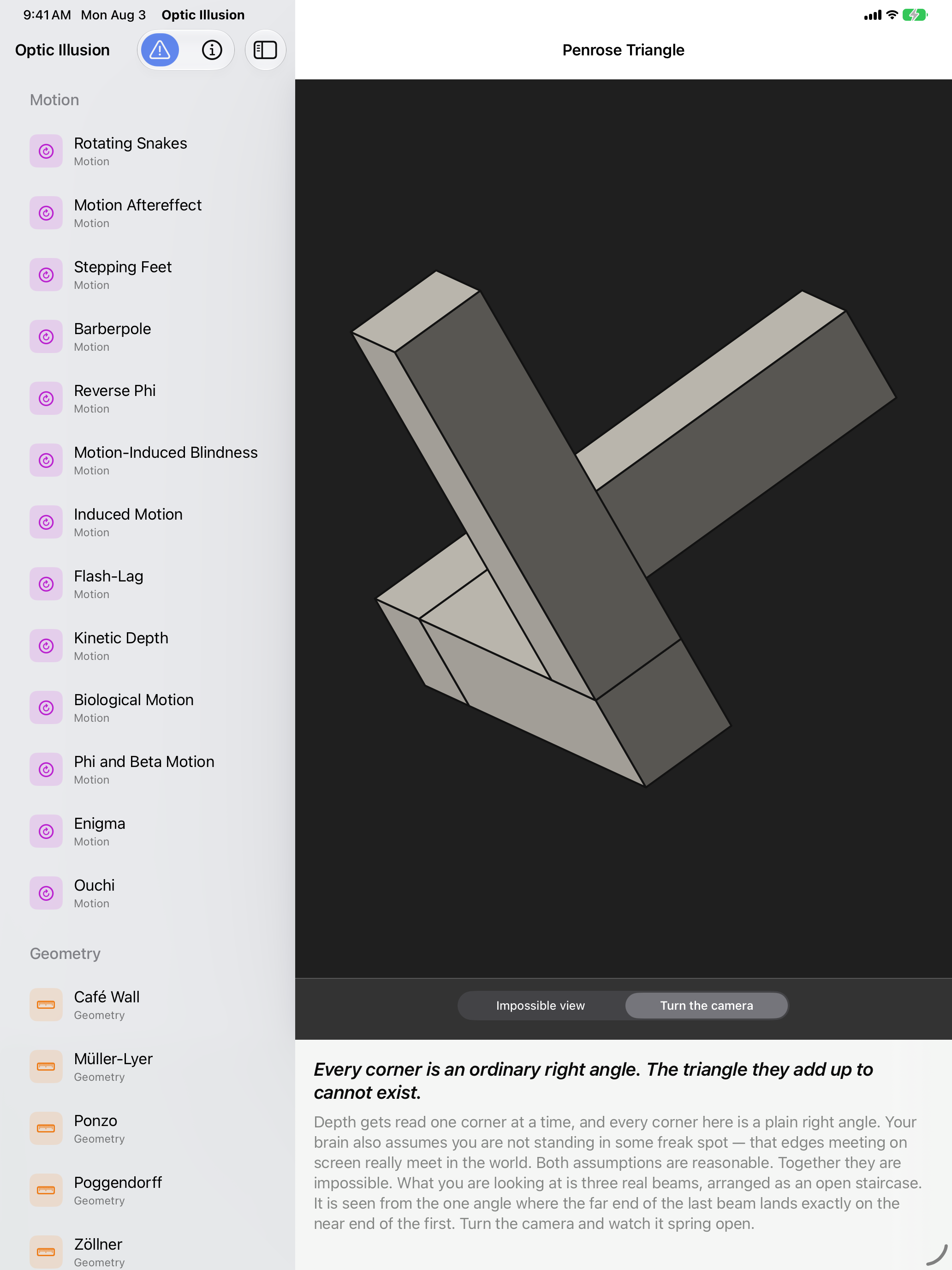
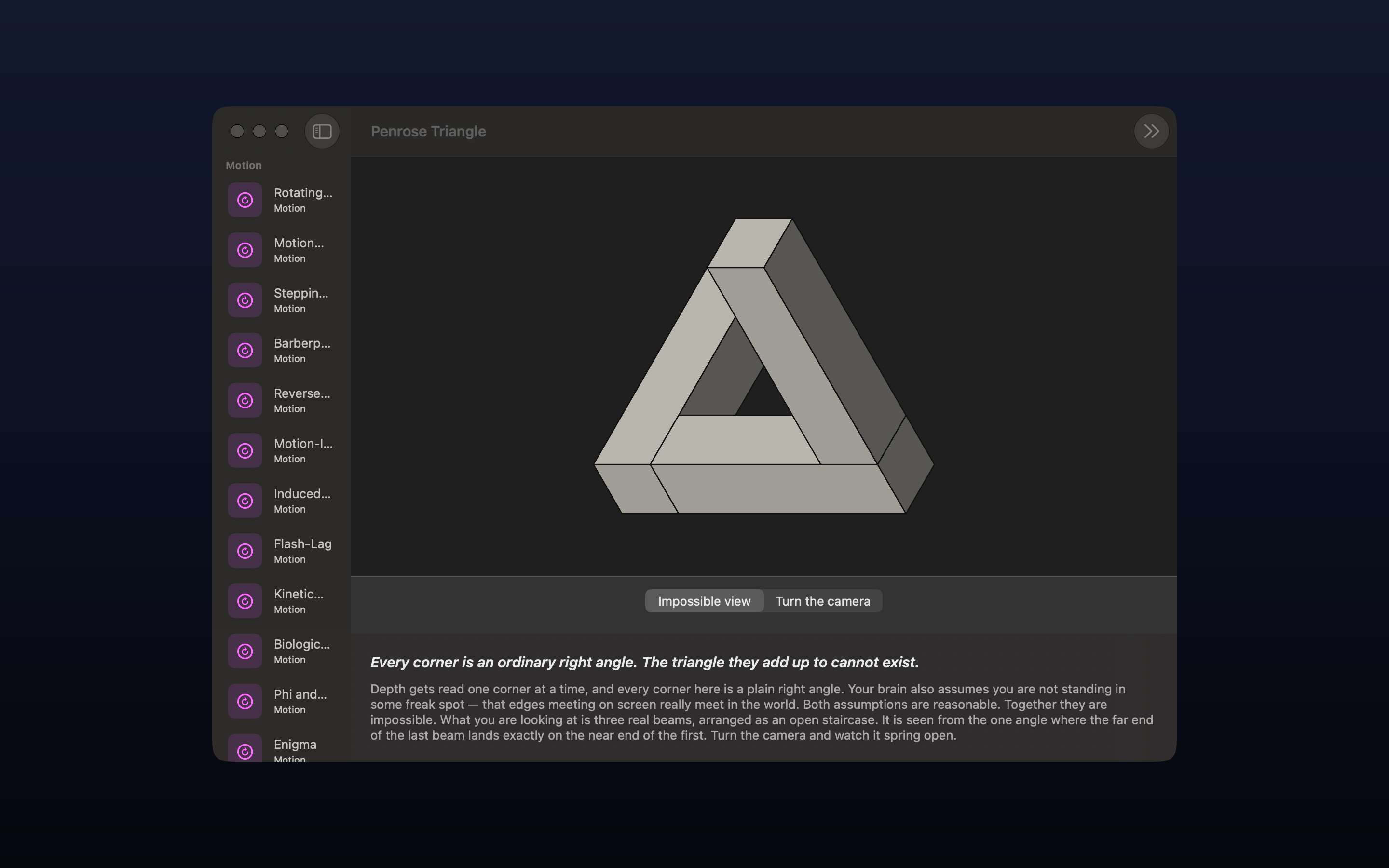
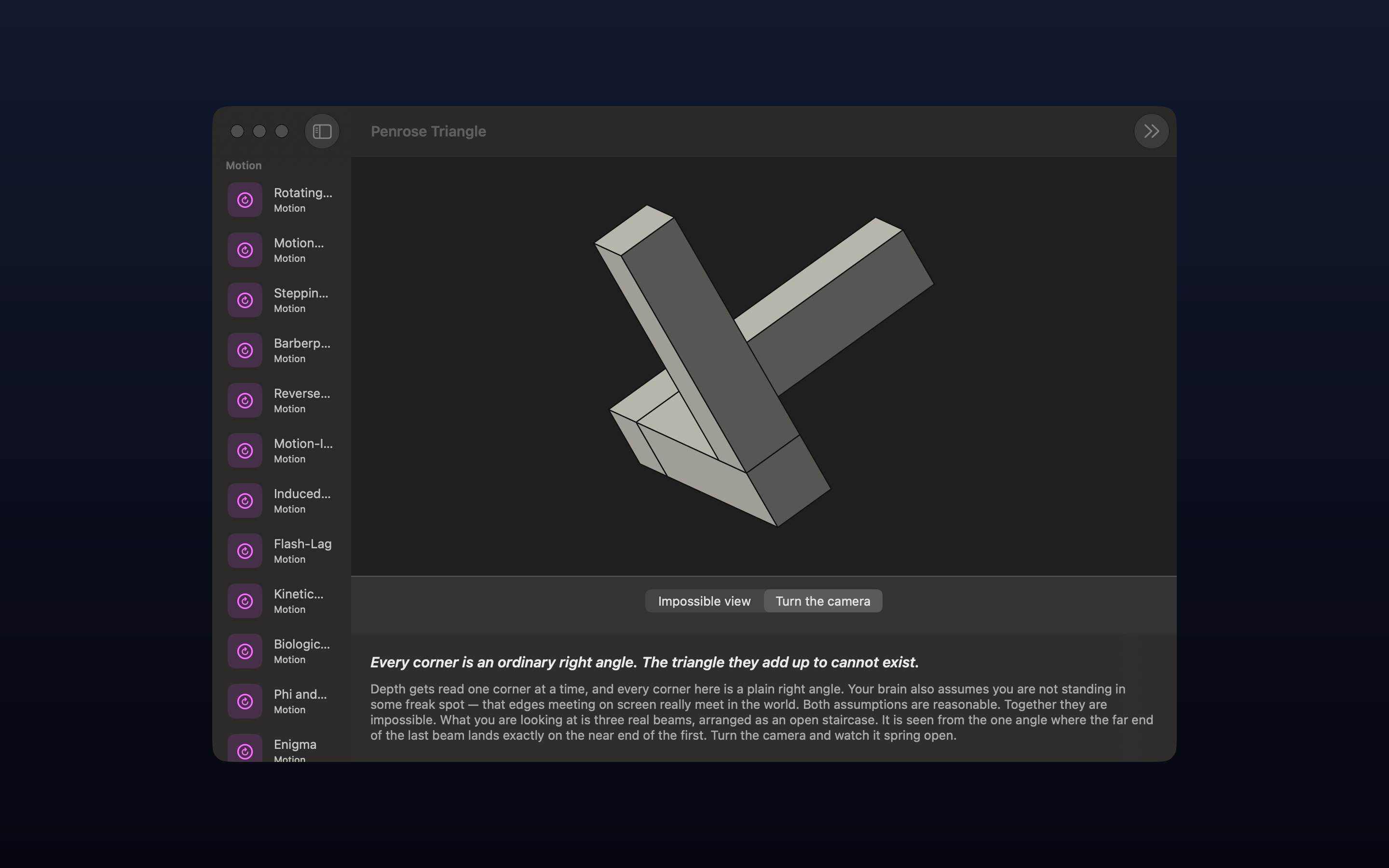
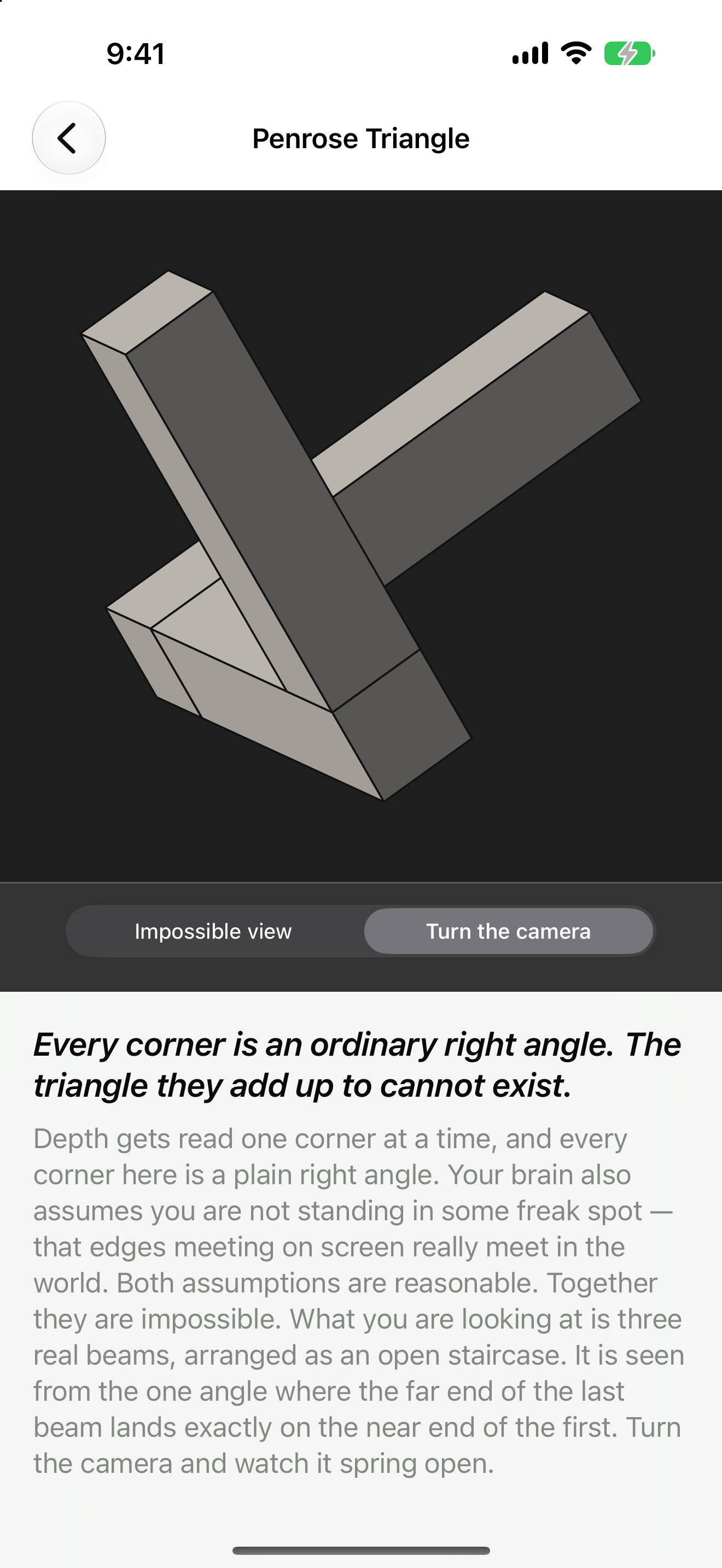
Most illusion apps ship a folder of JPEGs. This one computes. The Penrose triangle is not a drawing of an impossible object — it is a truthful orthographic render of three real rectangular beams laid out as an open staircase in 3D, viewed down the single axis where the far end of the last beam projects onto the near end of the first. Every corner is an unremarkable right angle. Turn the camera a few degrees, which the app lets you do, and the figure springs open into the staircase it always was. The impossibility was never in the object; it was in the viewpoint, and in the assumption you never noticed making.

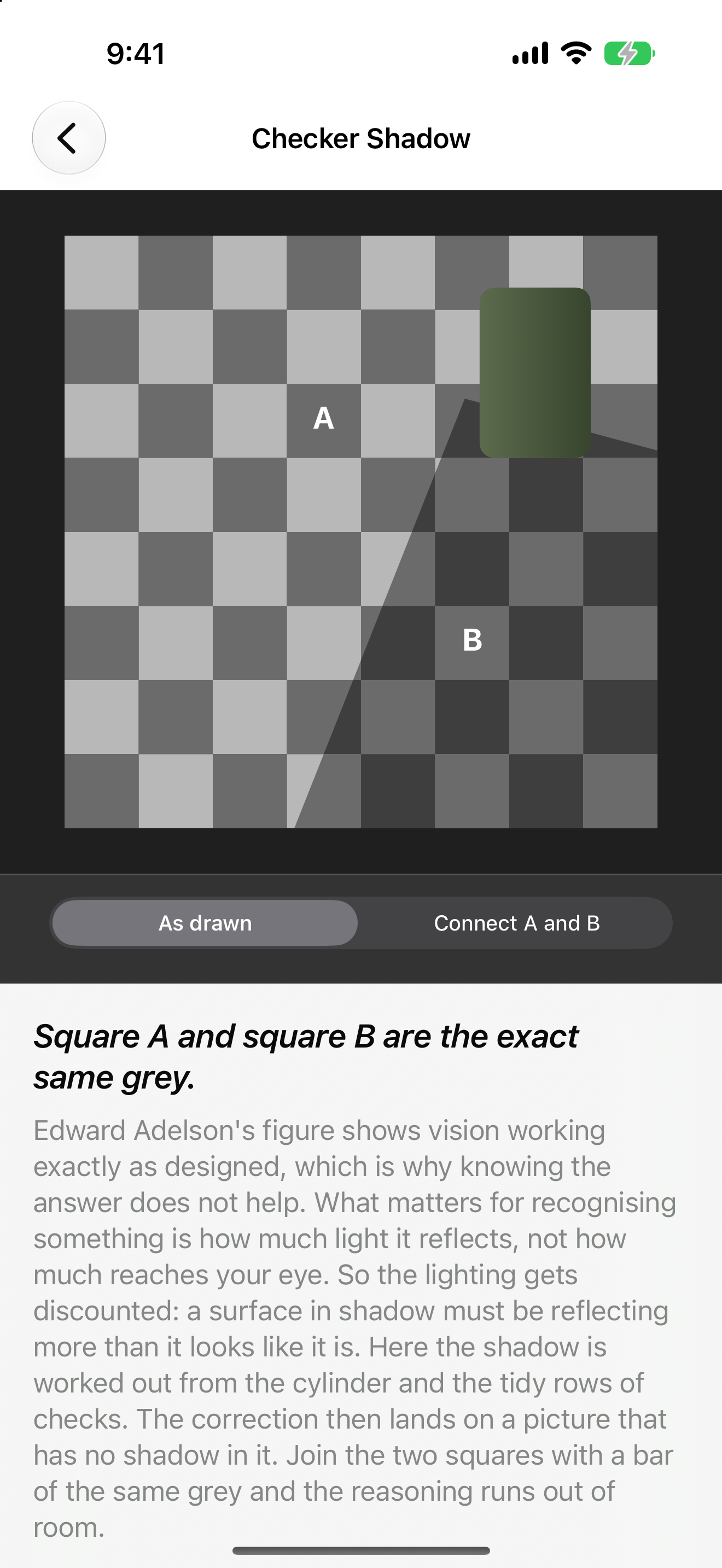
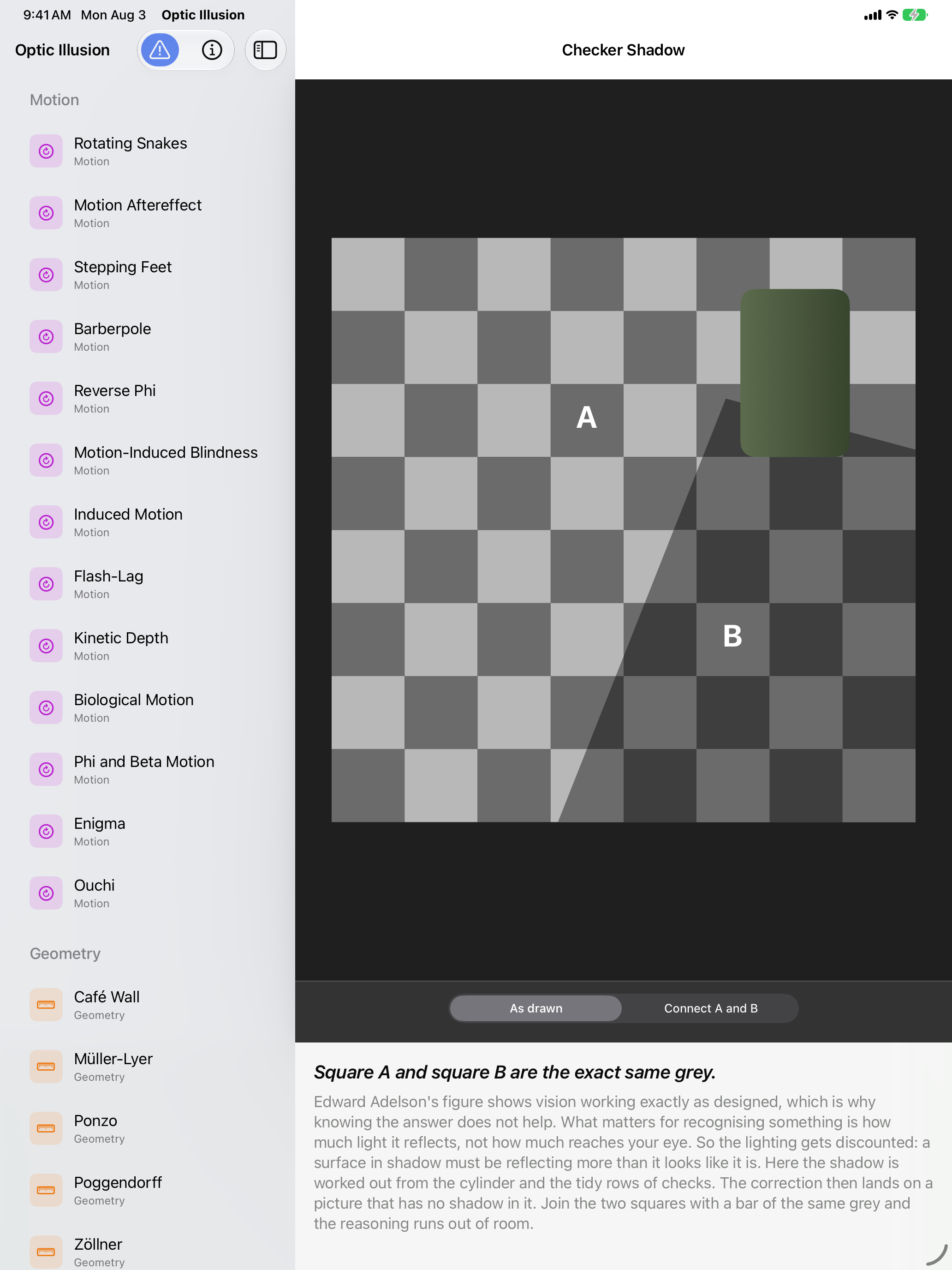
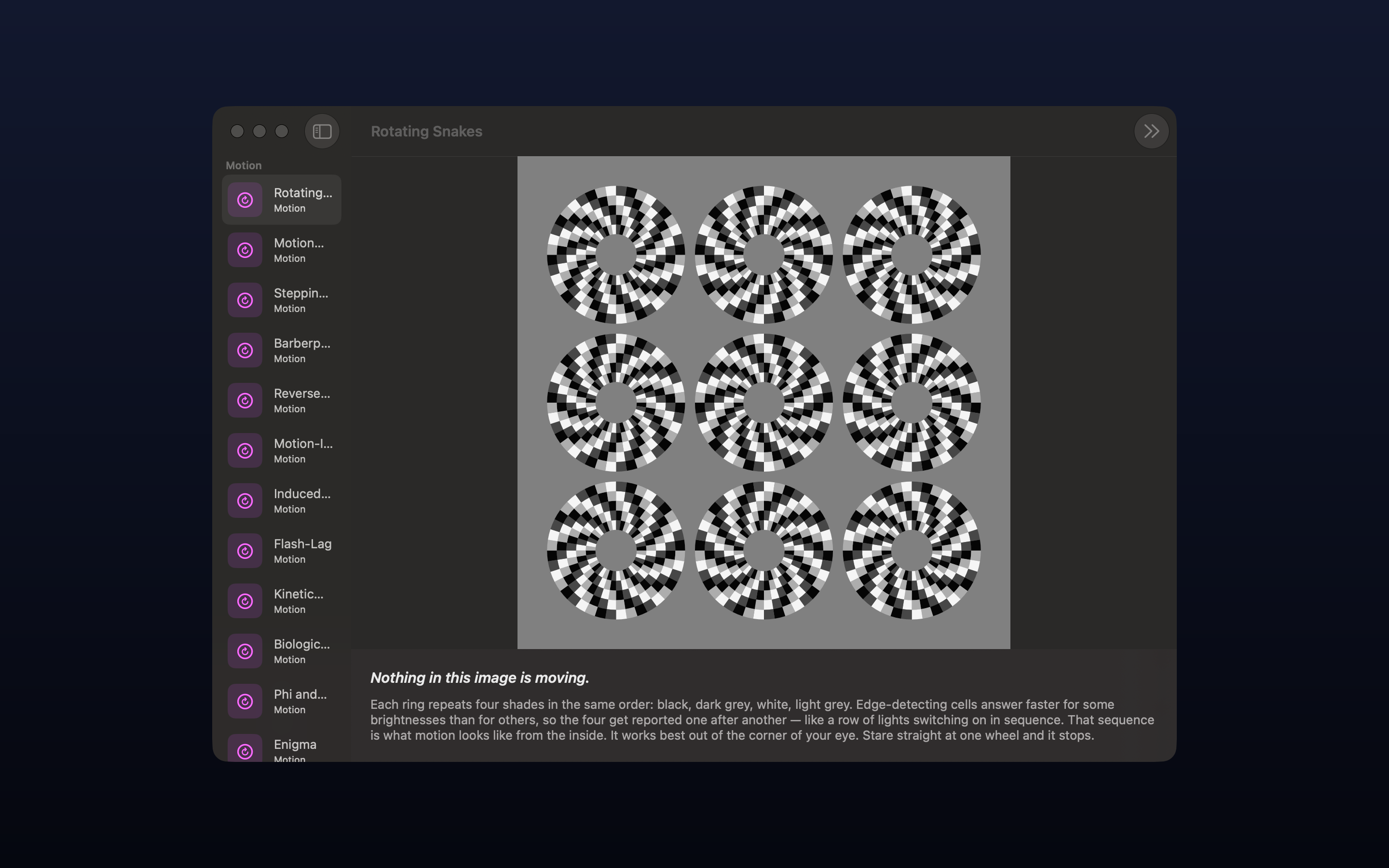
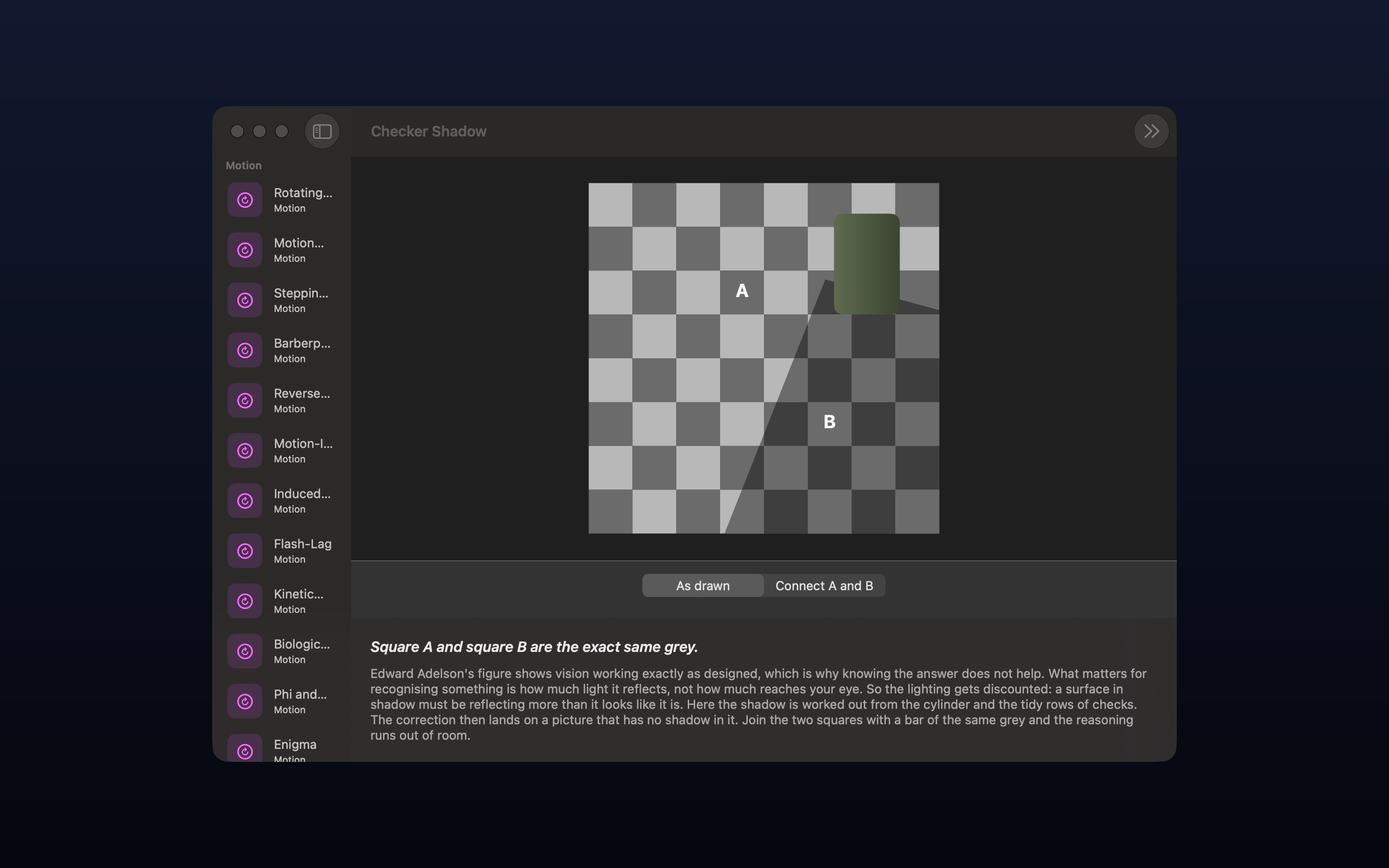
That distinction runs through the whole collection. Each exhibit states a flat claim up front — "Every horizontal line is perfectly parallel," "The two shafts are exactly the same length," "Nothing in this image is moving" — and then explains, in a paragraph you can actually follow, which part of your visual system is responsible. Most of them can then be dismantled on purpose: cover the Cornsweet edge and two panels collapse into one grey, join Adelson's squares A and B with a bar of the shade they both already are, slide one Jastrow arc onto the other, swing the camera around Sugihara's cylinder until the square rim becomes a circular one.

Key features

  • 72 exhibits in seven categories — Motion, Geometry, Depth, Contrast, Colour, Form and Attention.
  • Real geometry, not images. The Penrose triangle is a genuine 3D construction rendered from the one camera angle that lies. Nothing is faked, retouched or pre-baked.
  • Built to be broken. Most exhibits carry a control that disproves them — cover the edge, connect the patches, turn the camera, lay one shape on the other.
  • An explanation for every exhibit, written for a curious adult and legible to a curious kid. The mechanism, not just the party trick.
  • Your Perception Profile. Six psychophysical adjustment tasks, three trials each, about four minutes. Drag until two elements look equal; the app records how far from physical equality you stopped, and shows your figures next to the ranges commonly reported in the literature.
  • Moving exhibits are opt-in. Everything that animates or flickers sits behind a warning naming the exhibit, and the warning can be re-armed after it is dismissed.
  • No accounts, no ads, no third-party SDKs, and nothing that follows you across other apps or websites.

Quotes — attributable to John Haney

"Every other illusion app is a folder of JPEGs. I wanted the Penrose triangle to actually be three real beams, so you can turn the camera and watch the impossibility fall apart. The lie is the viewpoint, not the object."

"The illusion is only half the fun. The other half is finding out which specific part of your visual system is responsible, and that's the part nobody bothers to write down."

"Knowing exactly how the trick works has never once stopped it from working. That's the part I find genuinely strange — you can read the explanation, understand every step of it, look back at the picture, and your eyes carry on lying to you."

"Illusion magnitudes vary a lot between people, and almost nobody knows their own. Four minutes of dragging a slider and you find out you're a full standard deviation off the textbook figure. That's a stranger feeling than any of the pictures."

Q&A

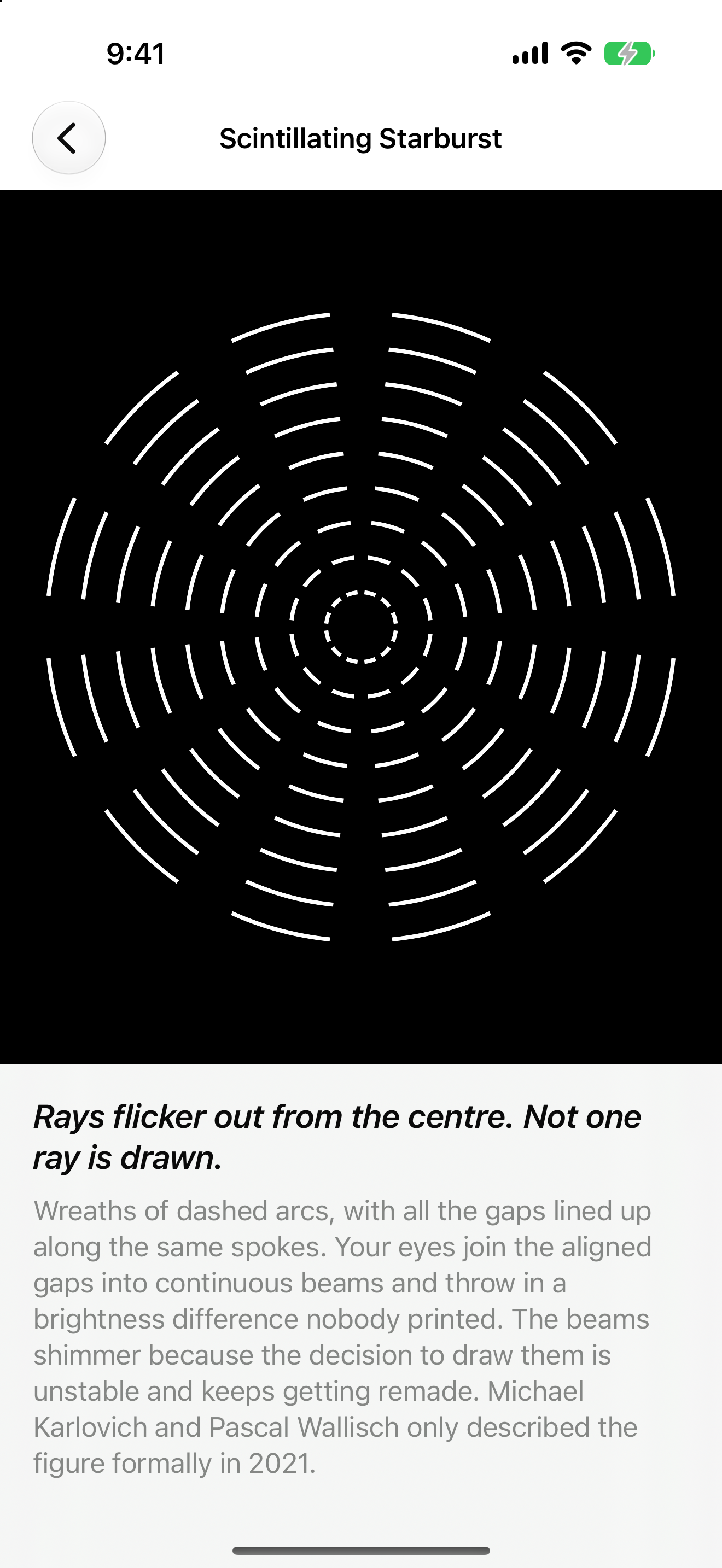
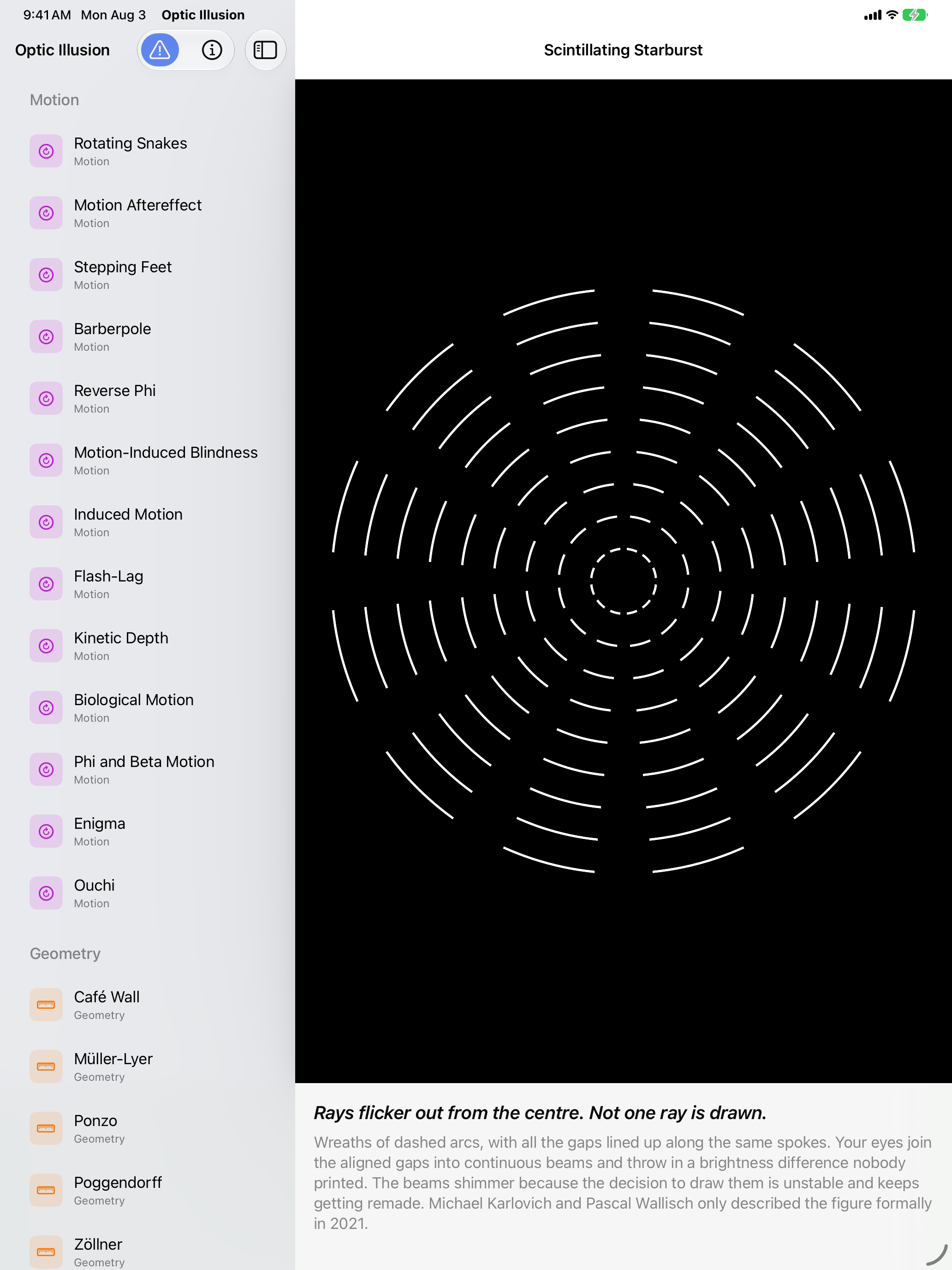
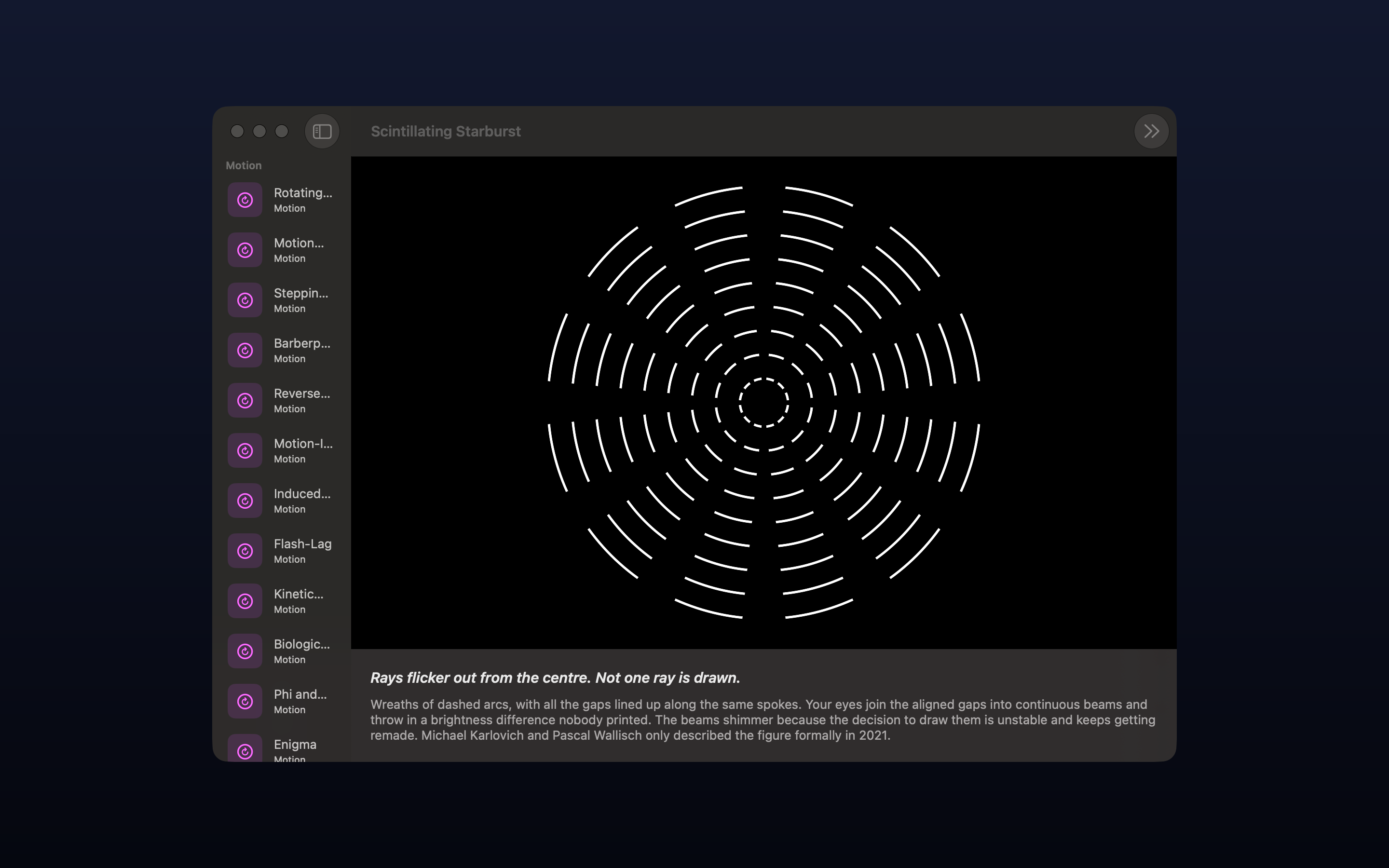
How many illusions are there? 72 at launch, sorted into seven categories: Motion (13), Geometry (15), Depth (12), Contrast (12), Colour (10), Form (5) and Attention (5). They range from the very familiar — Müller-Lyer, the Café Wall, the Hermann Grid — to figures described only recently, including Takahashi's curvature blindness (2017), Kolås's colour assimilation grid (2019) and the scintillating starburst (2021).

Is the Penrose triangle really 3D? Yes. Three rectangular beams are positioned as an open right-angled staircase — one along each axis — and rendered orthographically down the (1,1,1) axis, where a step of (t,t,t) projects to nothing at all. That is why the gap closes on screen. The app will turn the camera off that axis on request and show you the gap. Sugihara's ambiguous cylinder works the same way: one closed rim curve whose outline is a square along one line of sight and a circle along another, with a camera swing between them.

What does the Perception Profile actually measure? Six illusions are re-staged as adjustment tasks. You drag one element until it looks equal to another, three times per illusion, and the app records the gap between where you stopped and physical equality — the standard psychophysical method of adjustment. The result is your illusion magnitude as a percentage, shown against the ranges commonly reported in the literature. The app is explicit that this is indicative rather than diagnostic: a hand-held screen at uncontrolled distance and brightness is not a laboratory, and the comparison figures are ballpark values rather than normative data.

Does it collect any data? One thing. The app counts how many times each exhibit is opened and writes that to the developer's own CloudKit container, so he can see which illusions people actually use. What leaves the device is a random per-install identifier, an exhibit name and a number — no account, nothing read off your hardware, and nothing that survives deleting the app. There are no third-party SDKs, no advertising identifier and no tracking across other apps or websites, so there is no App Tracking Transparency prompt. The privacy label declares Usage Data — Product Interaction, not linked to your identity. Nothing measured in the Perception Profile is ever sent; those results stay in a file on the device.

Is it safe for people sensitive to flicker? Some exhibits do animate, and a few genuinely flicker — reverse phi, phi motion and Benham's top among them. Every one of those sits behind a warning screen that names the exhibit and asks before anything plays, and the warning can be switched back on from the gallery toolbar after it has been dismissed. Several other exhibits are high-contrast repeating patterns that some people find uncomfortable even standing still. Anyone with pattern sensitivity or photosensitivity should know what they are looking at going in.

Is there a Vision Pro version? Not in this release. The illusions are built as real geometry rather than flat images, so the groundwork is there, but visionOS is not part of this launch.

Who made it? John Haney, Apps From Outer Space LLC. He shipped one of the original App Store apps in 2008.

Images

Every image below links to its full-resolution file — save any of them individually, or download everything as a zip. Screenshots are raw device captures with no frames or captions.
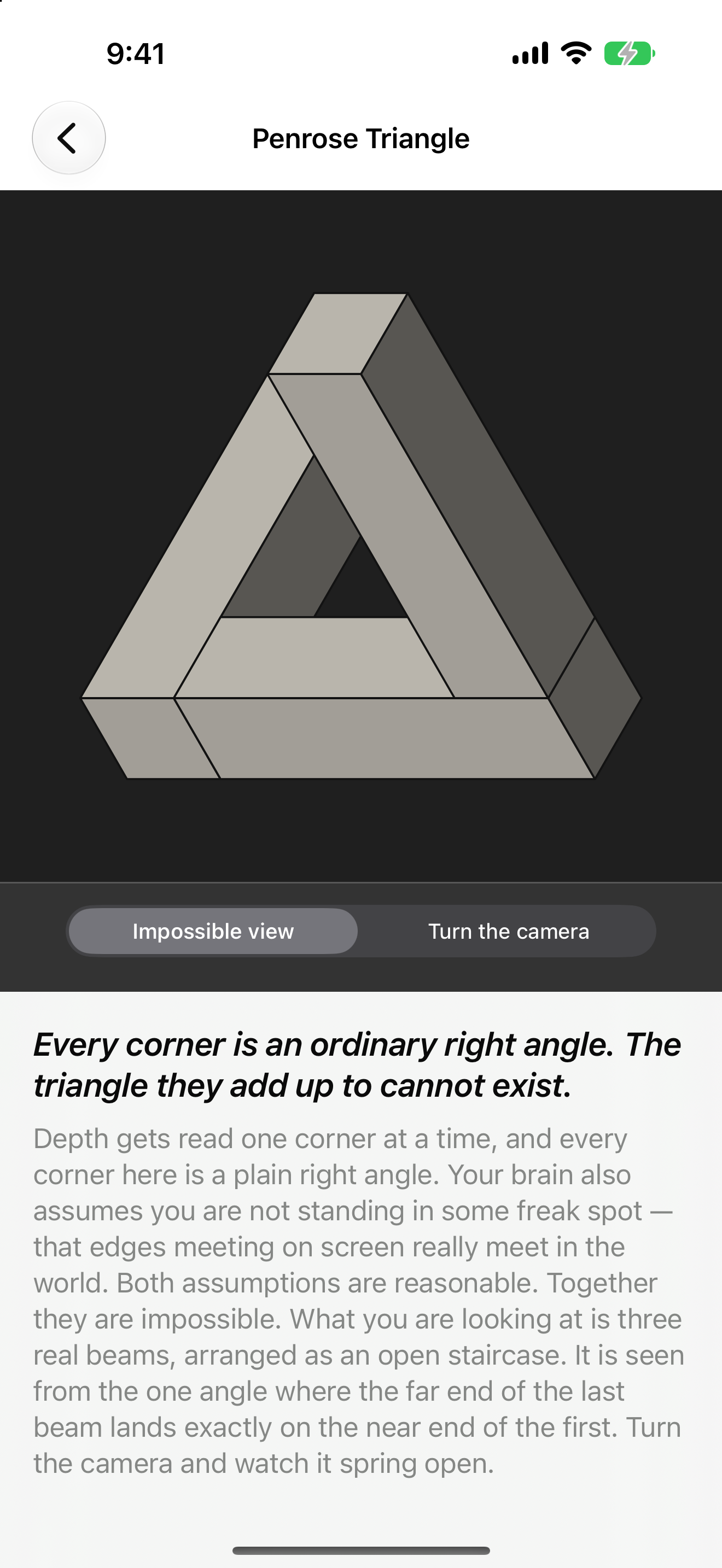
Optic Illusion on iPhone: the Penrose Triangle rendered as three grey beams meeting in an impossible tribar, with the viewpoint control set to Impossible view, with the teaser and explanation below.
1320×2868 PNG
Optic Illusion on iPhone: the Penrose Triangle with Turn the camera selected, the figure sprung open into three separate beams that plainly do not meet, with the teaser and explanation below.
1320×2868 PNG
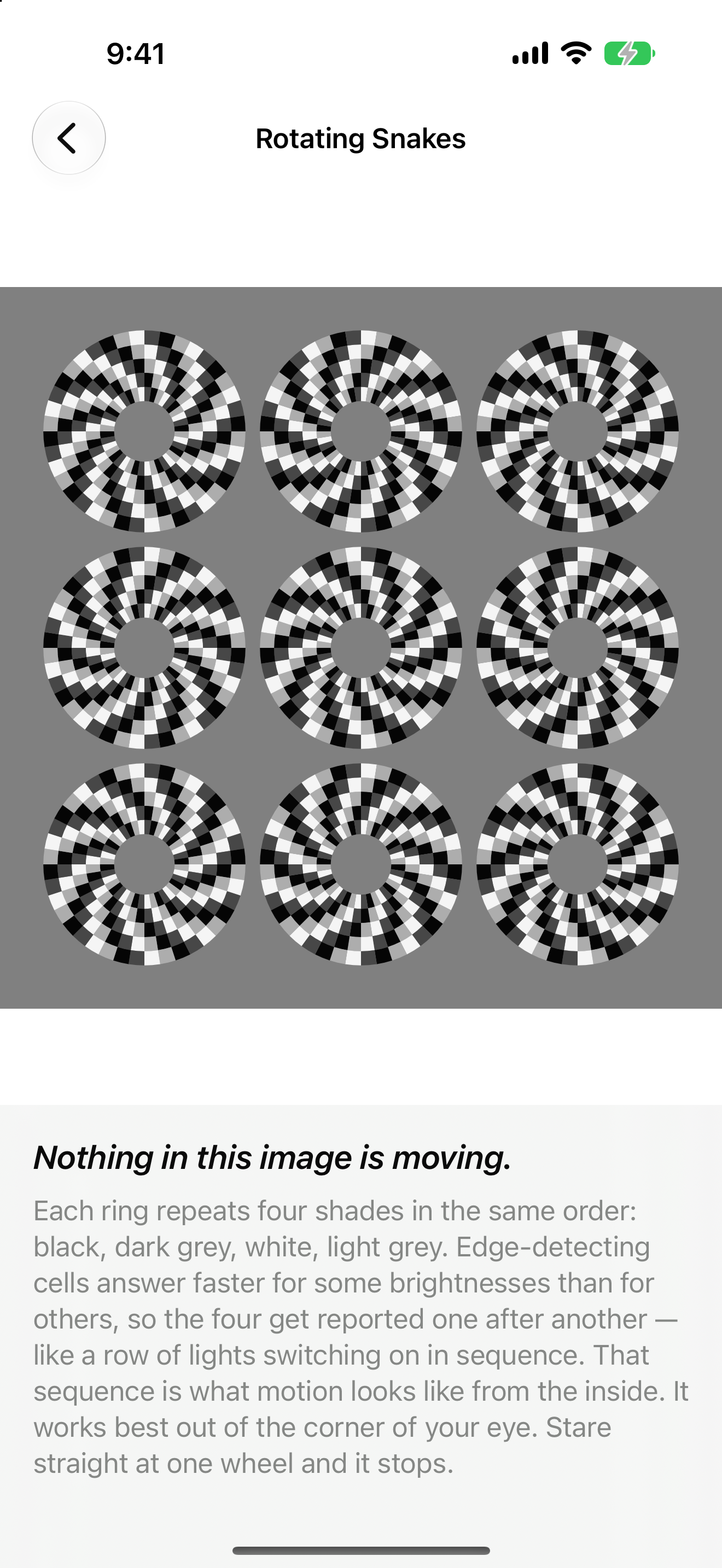
Optic Illusion on iPhone: Rotating Snakes, nine static wheels of black, dark grey, white and light grey segments on a grey field that appear to drift although nothing is moving, with the teaser and explanation below.
1320×2868 PNG
Optic Illusion on iPhone: Adelson's Checker Shadow, squares A and B marked on a checkerboard crossed by a cylinder's shadow, above a control offering to join them with a bar of the grey they share, with the teaser and explanation below.
1320×2868 PNG
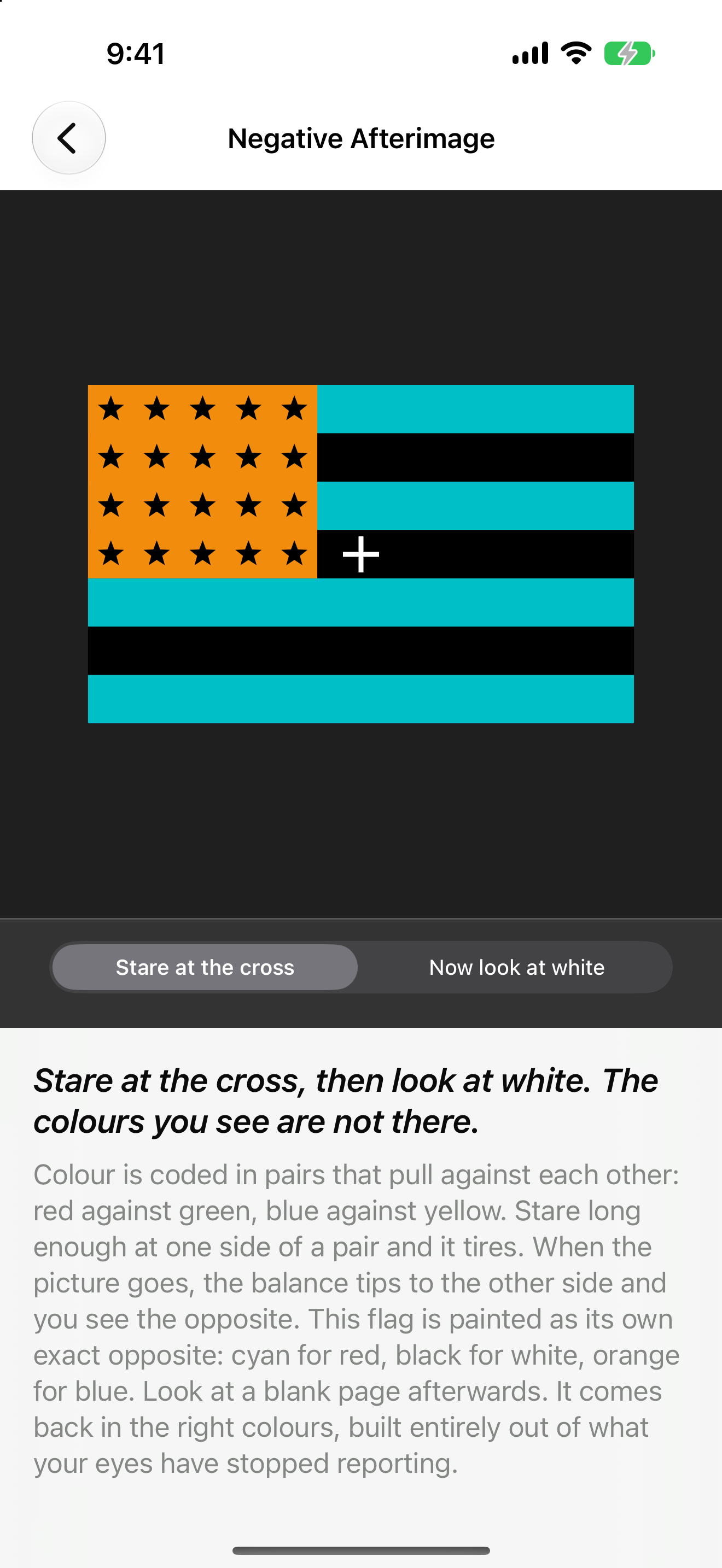
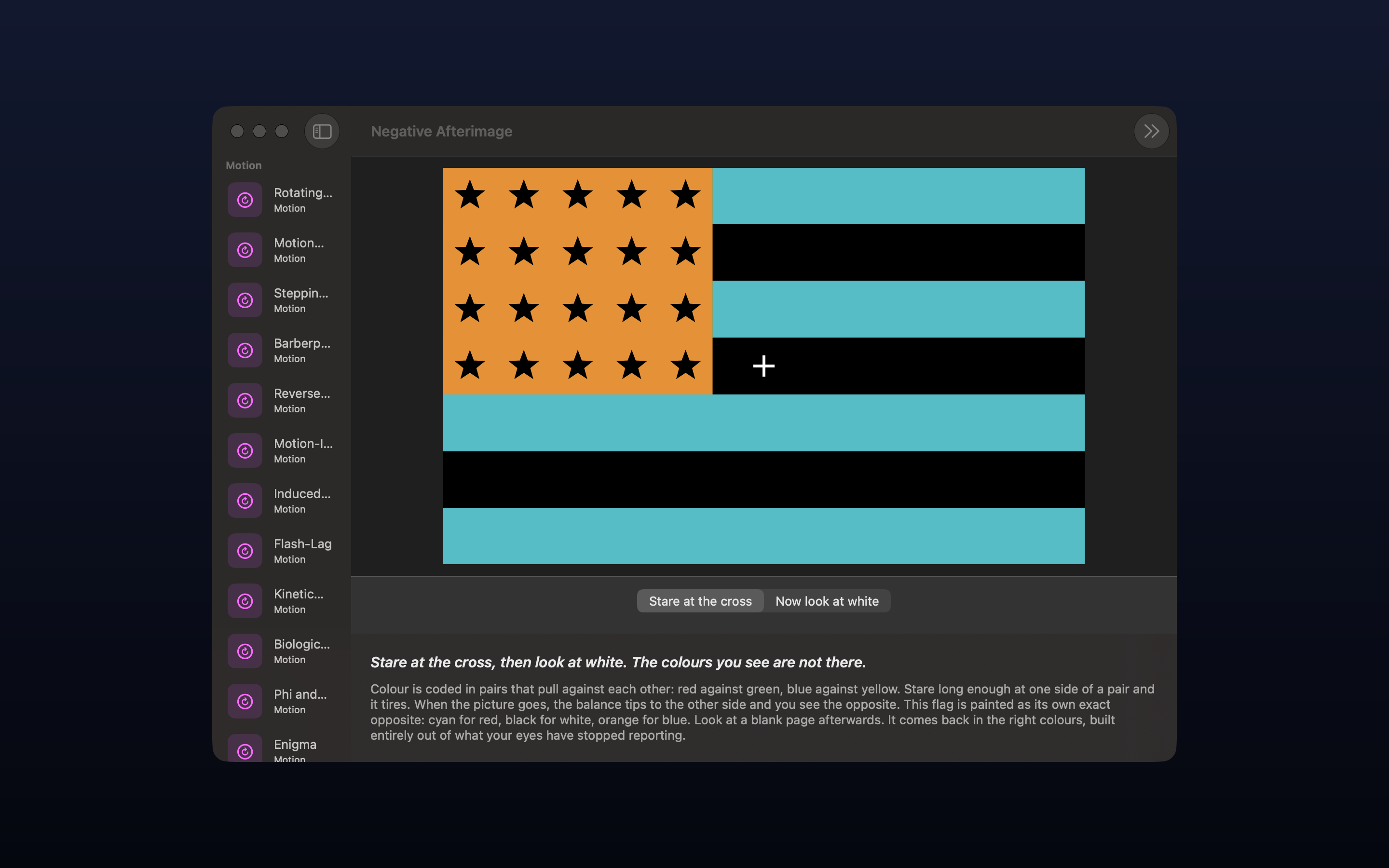
Optic Illusion on iPhone: Negative Afterimage, a colour-reversed flag in cyan, black and orange with black stars and a fixation cross, above a control that swaps it for a blank white field, with the teaser and explanation below.
1320×2868 PNG
Optic Illusion on iPhone: Scintillating Starburst, concentric wreaths of short white arcs on black whose aligned gaps produce bright rays that are not drawn, with the teaser and explanation below.
1320×2868 PNG
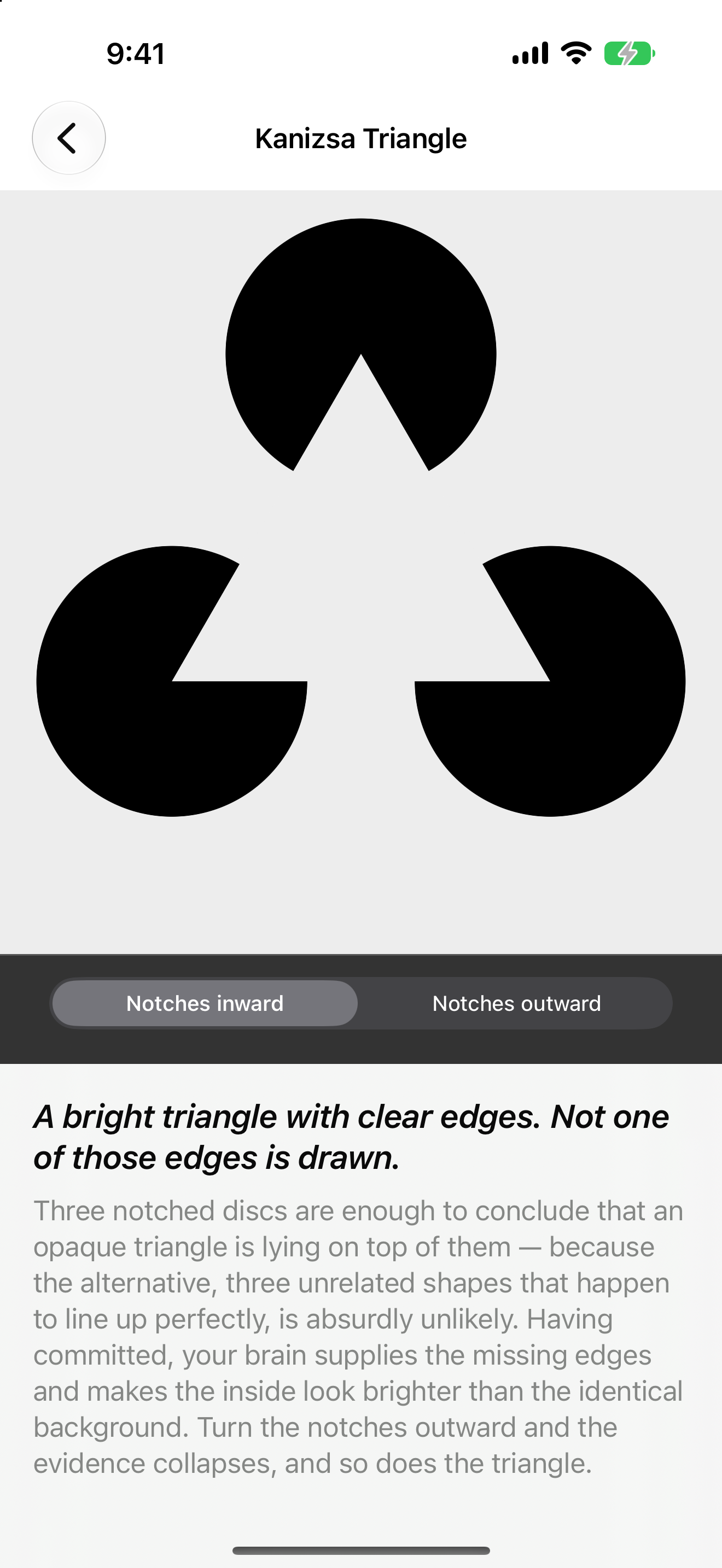
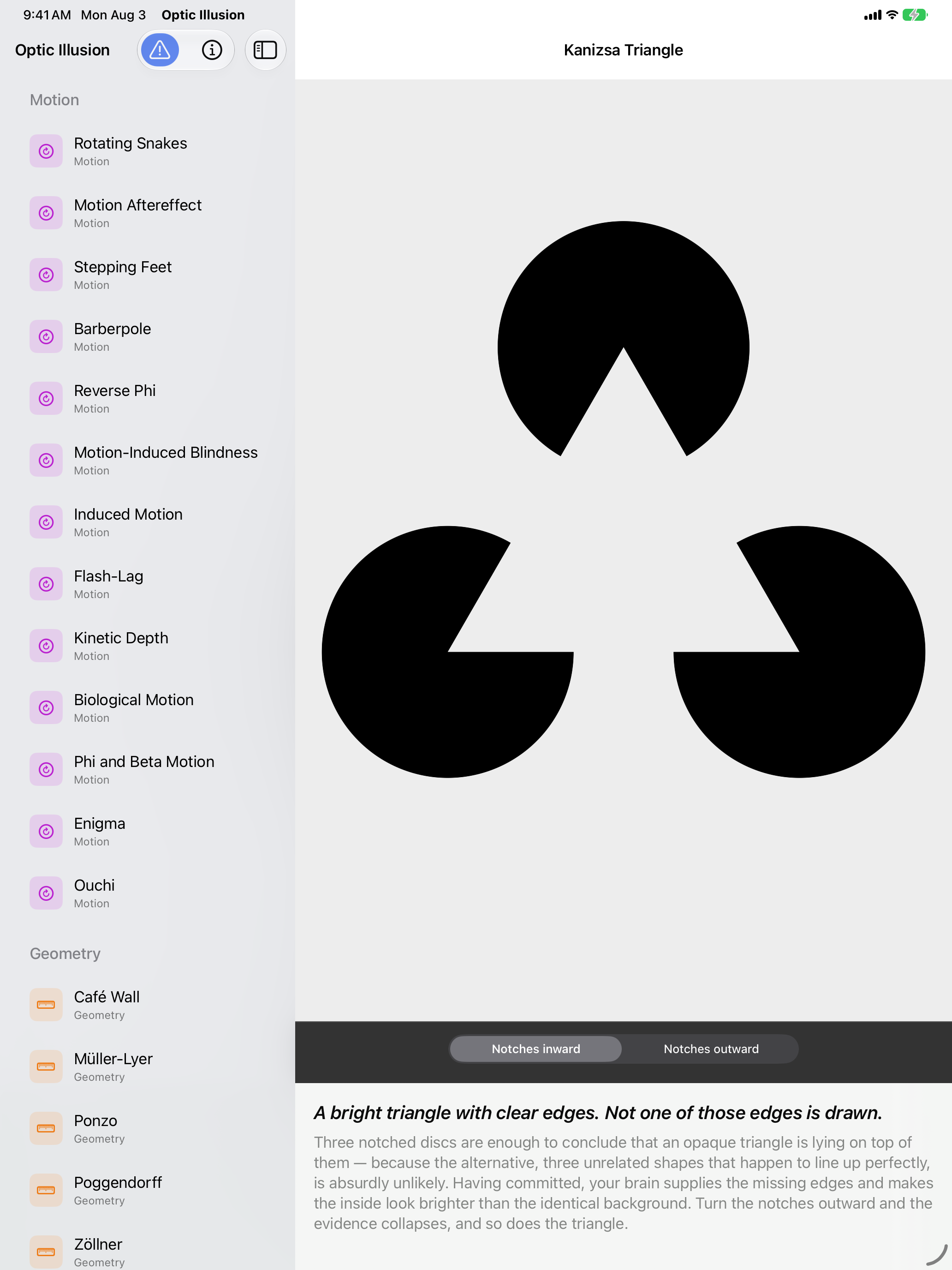
Optic Illusion on iPhone: Kanizsa Triangle, three black notched discs on a pale field producing a bright triangle whose edges are not drawn, with a control that turns the notches outward, with the teaser and explanation below.
1320×2868 PNG
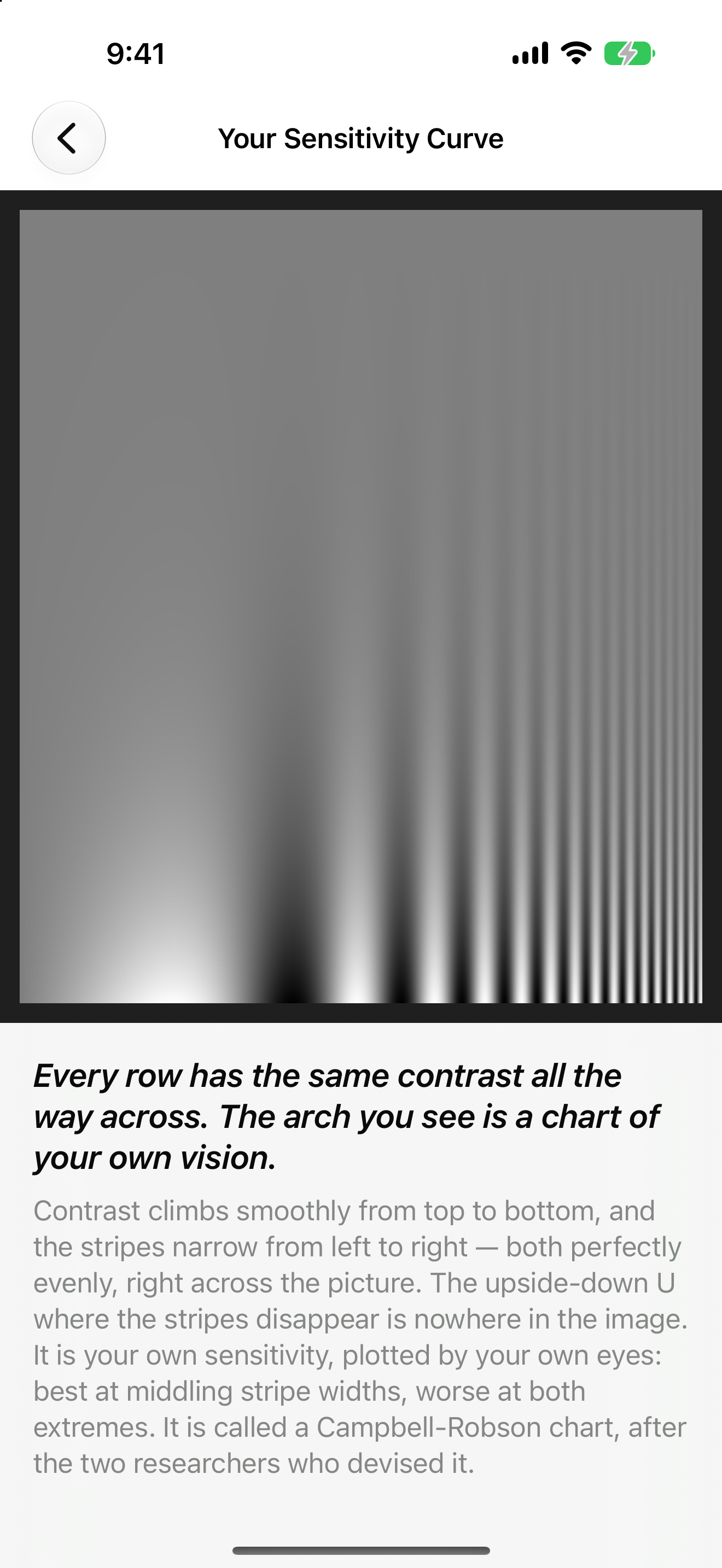
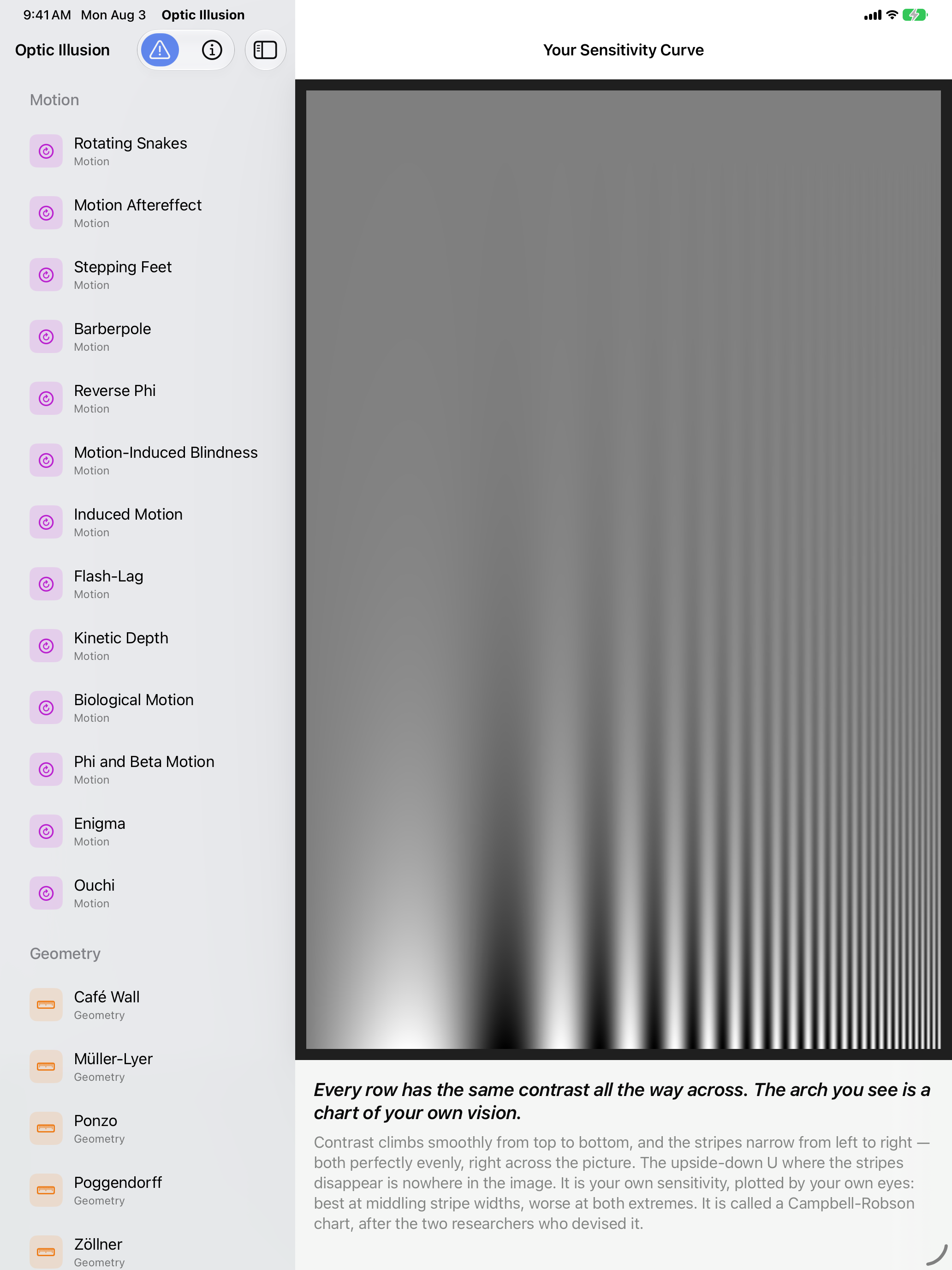
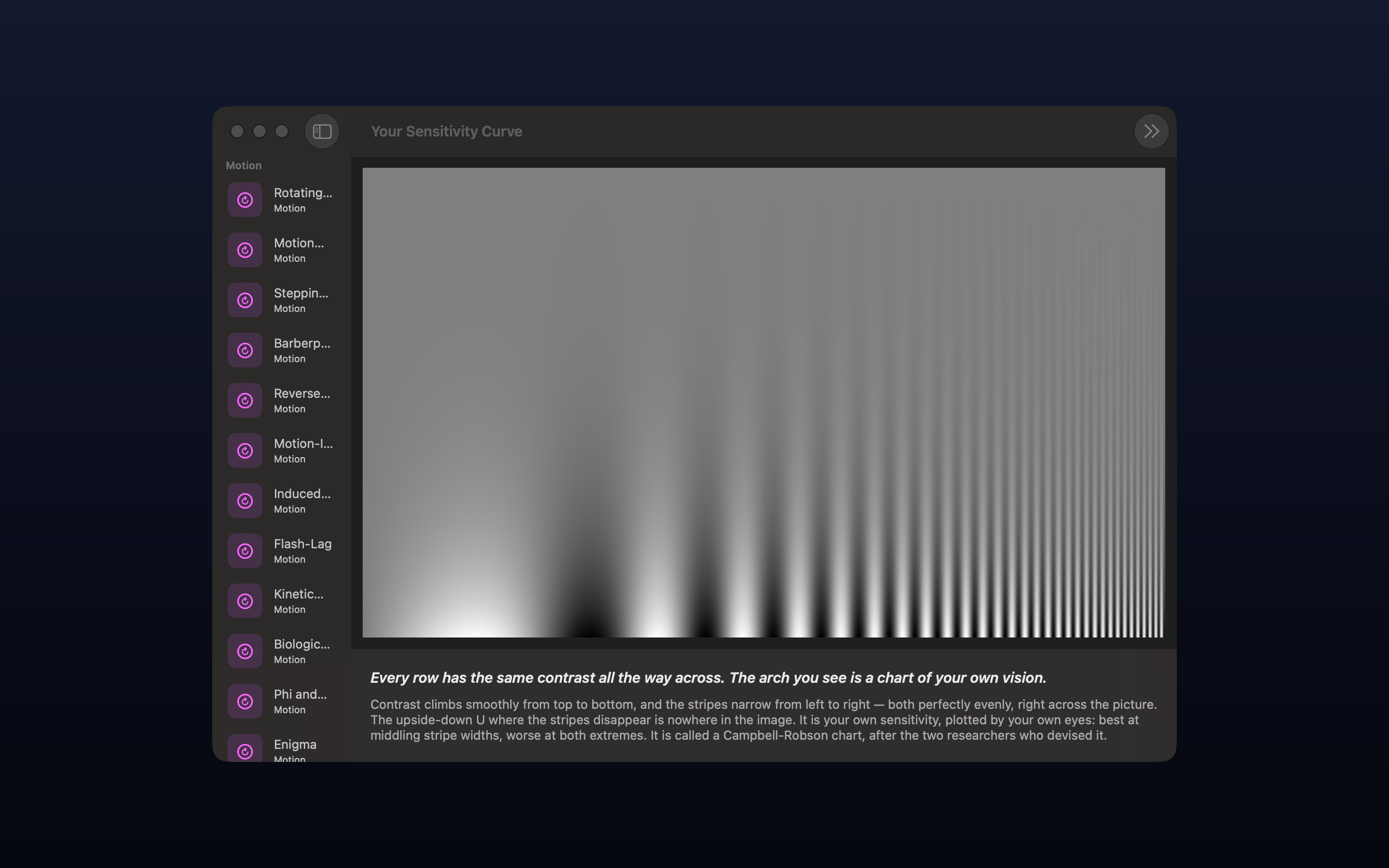
Optic Illusion on iPhone: Your Sensitivity Curve, a Campbell-Robson chart whose stripes narrow to the right and gain contrast downward, the inverted-U boundary where they vanish drawn by the viewer's own vision, with the teaser and explanation below.
1320×2868 PNG
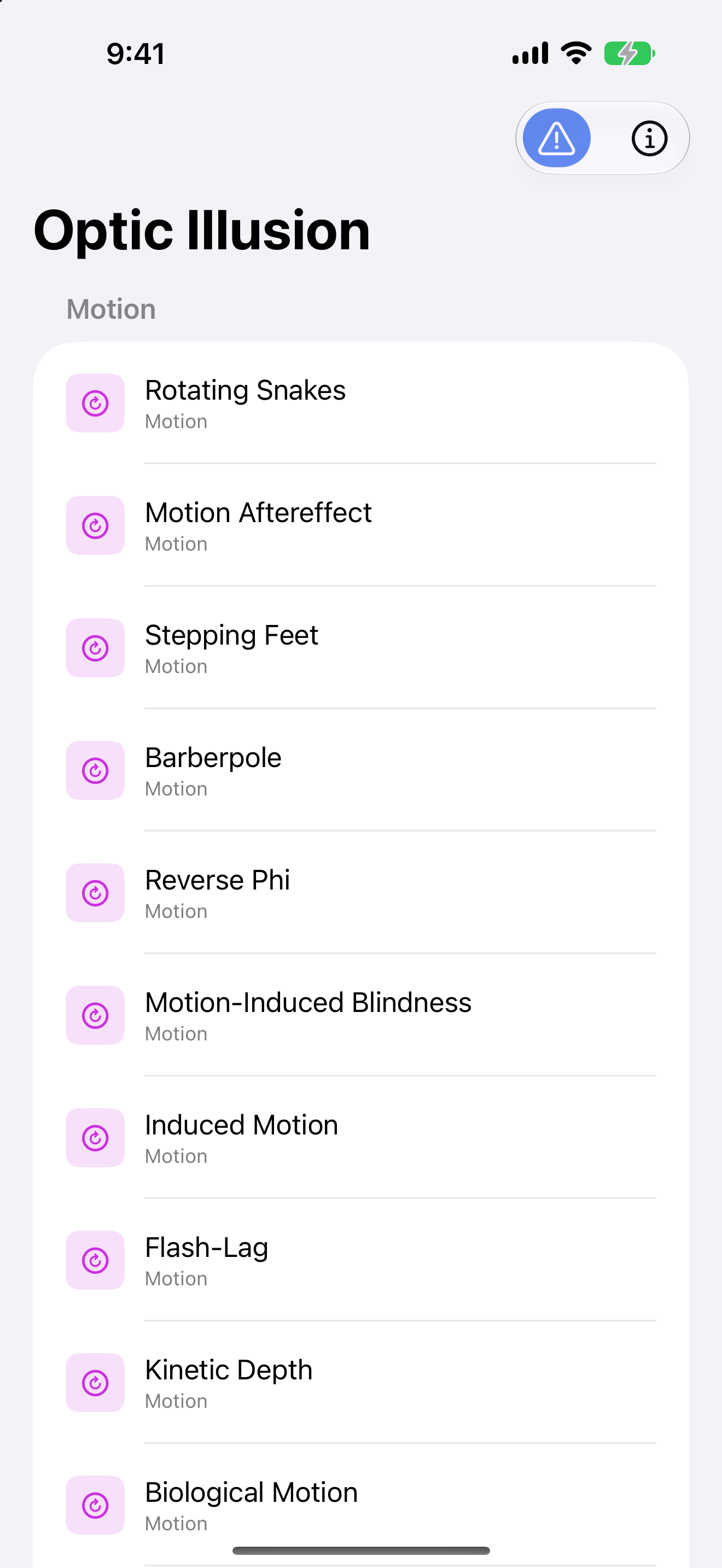
Optic Illusion on iPhone: the gallery list, exhibits shown under the Motion heading with their category labels, one row each.
1320×2868 PNG
Optic Illusion on iPad: the Penrose Triangle rendered as three grey beams meeting in an impossible tribar, with the viewpoint control set to Impossible view, the exhibit list sectioned by category in the sidebar alongside.
2064×2752 PNG
Optic Illusion on iPad: the Penrose Triangle with Turn the camera selected, the figure sprung open into three separate beams that plainly do not meet, the exhibit list sectioned by category in the sidebar alongside.
2064×2752 PNG
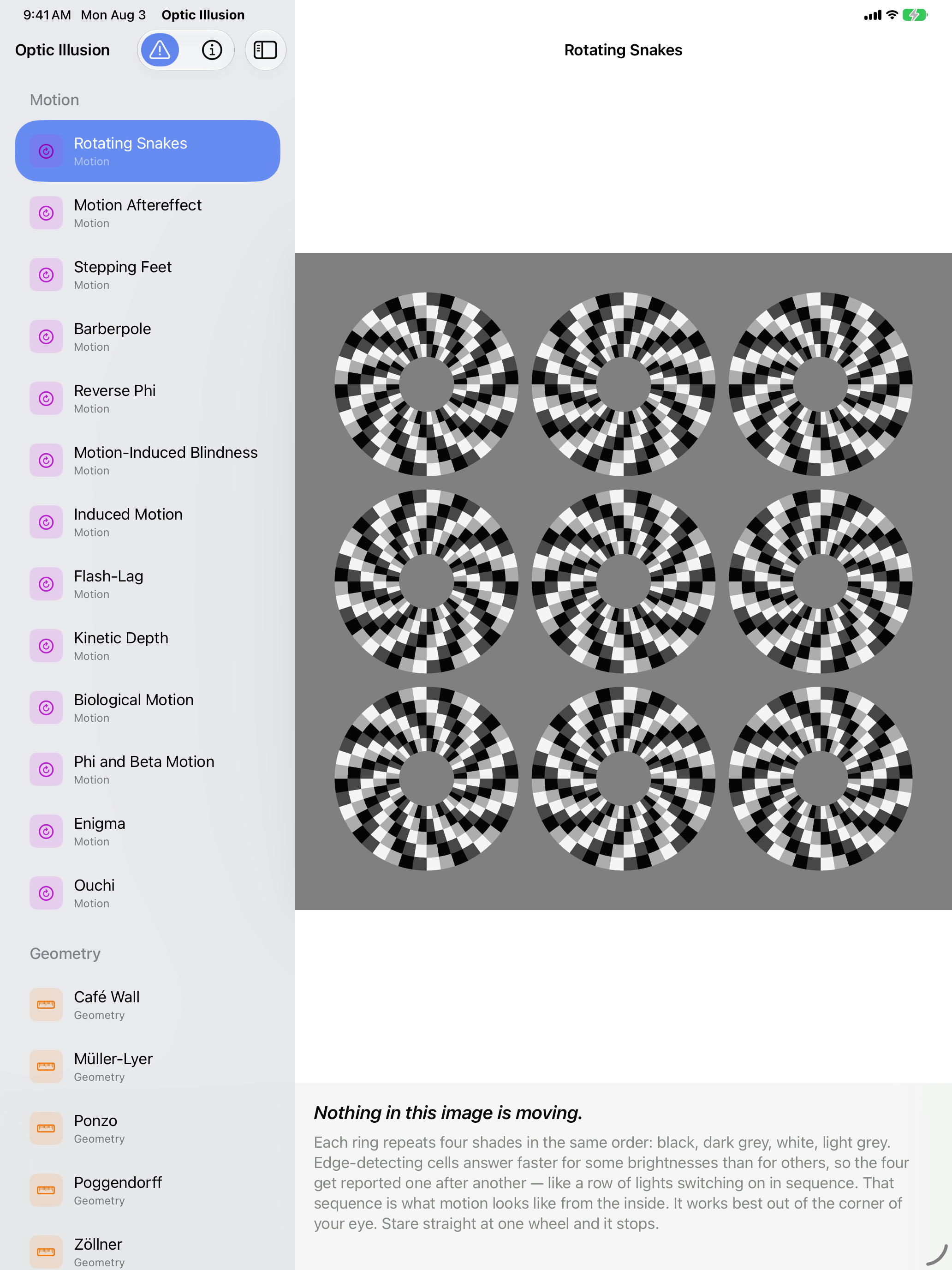
Optic Illusion on iPad: Rotating Snakes, nine static wheels of black, dark grey, white and light grey segments on a grey field that appear to drift although nothing is moving, the exhibit list sectioned by category in the sidebar alongside.
2064×2752 PNG
Optic Illusion on iPad: Adelson's Checker Shadow, squares A and B marked on a checkerboard crossed by a cylinder's shadow, above a control offering to join them with a bar of the grey they share, the exhibit list sectioned by category in the sidebar alongside.
2064×2752 PNG
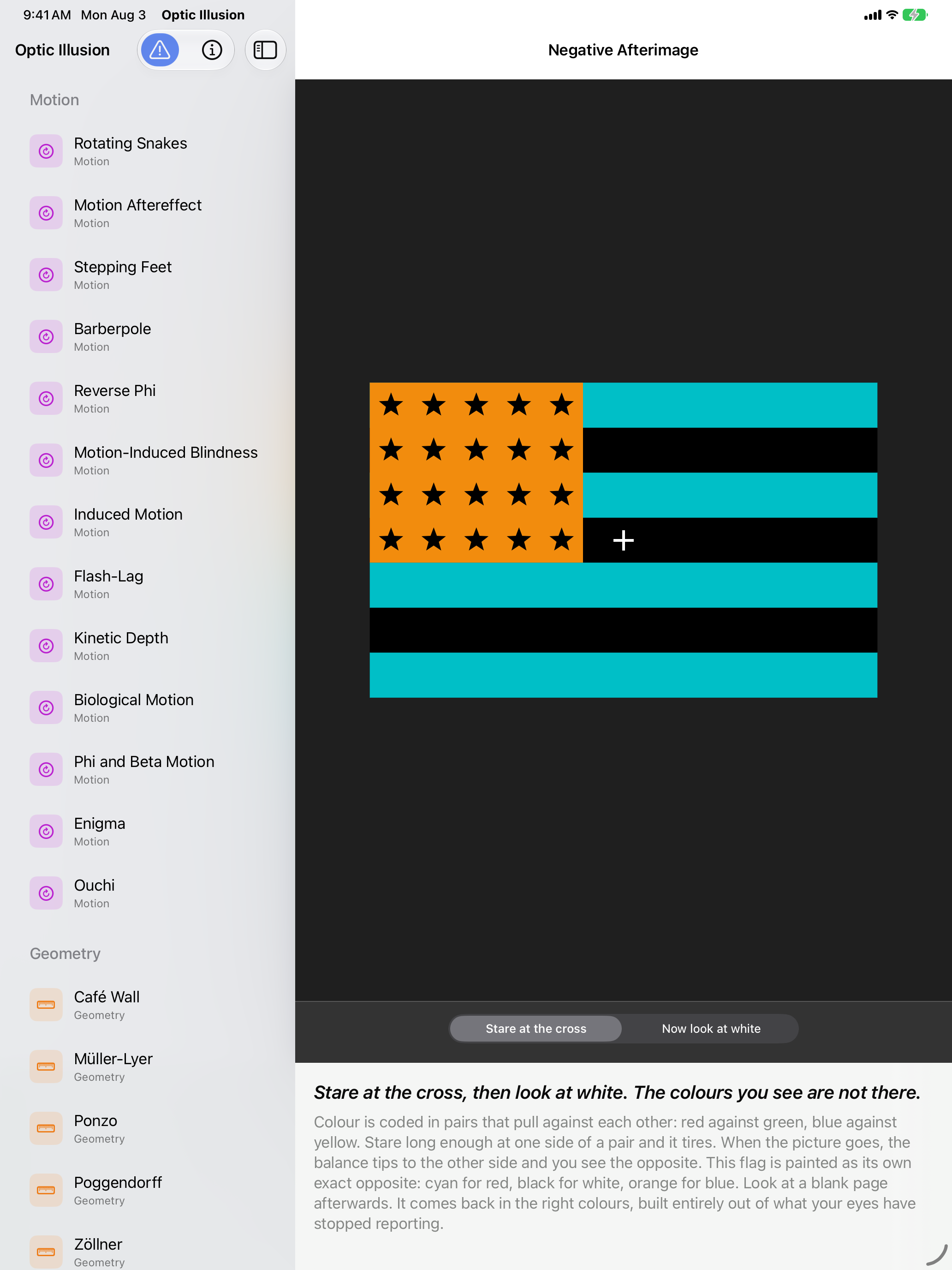
Optic Illusion on iPad: Negative Afterimage, a colour-reversed flag in cyan, black and orange with black stars and a fixation cross, above a control that swaps it for a blank white field, the exhibit list sectioned by category in the sidebar alongside.
2064×2752 PNG
Optic Illusion on iPad: Scintillating Starburst, concentric wreaths of short white arcs on black whose aligned gaps produce bright rays that are not drawn, the exhibit list sectioned by category in the sidebar alongside.
2064×2752 PNG
Optic Illusion on iPad: Kanizsa Triangle, three black notched discs on a pale field producing a bright triangle whose edges are not drawn, with a control that turns the notches outward, the exhibit list sectioned by category in the sidebar alongside.
2064×2752 PNG
Optic Illusion on iPad: Your Sensitivity Curve, a Campbell-Robson chart whose stripes narrow to the right and gain contrast downward, the inverted-U boundary where they vanish drawn by the viewer's own vision, the exhibit list sectioned by category in the sidebar alongside.
2064×2752 PNG
Optic Illusion on macOS: the Penrose Triangle rendered as three grey beams meeting in an impossible tribar, with the viewpoint control set to Impossible view, the exhibit list in the sidebar and the explanation beneath.
2880×1800 PNG
Optic Illusion on macOS: the Penrose Triangle with Turn the camera selected, the figure sprung open into three separate beams that plainly do not meet, the exhibit list in the sidebar and the explanation beneath.
2880×1800 PNG
Optic Illusion on macOS: Rotating Snakes, nine static wheels of black, dark grey, white and light grey segments on a grey field that appear to drift although nothing is moving, the exhibit list in the sidebar and the explanation beneath.
2880×1800 PNG
Optic Illusion on macOS: Adelson's Checker Shadow, squares A and B marked on a checkerboard crossed by a cylinder's shadow, above a control offering to join them with a bar of the grey they share, the exhibit list in the sidebar and the explanation beneath.
2880×1800 PNG
Optic Illusion on macOS: Negative Afterimage, a colour-reversed flag in cyan, black and orange with black stars and a fixation cross, above a control that swaps it for a blank white field, the exhibit list in the sidebar and the explanation beneath.
2880×1800 PNG
Optic Illusion on macOS: Scintillating Starburst, concentric wreaths of short white arcs on black whose aligned gaps produce bright rays that are not drawn, the exhibit list in the sidebar and the explanation beneath.
2880×1800 PNG
Optic Illusion on macOS: Kanizsa Triangle, three black notched discs on a pale field producing a bright triangle whose edges are not drawn, with a control that turns the notches outward, the exhibit list in the sidebar and the explanation beneath.
2880×1800 PNG
Optic Illusion on macOS: Your Sensitivity Curve, a Campbell-Robson chart whose stripes narrow to the right and gain contrast downward, the inverted-U boundary where they vanish drawn by the viewer's own vision, the exhibit list in the sidebar and the explanation beneath.
2880×1800 PNG
Optic Illusion app icon

App icon — 512×512 PNG. The zip includes 512 and 256 renditions.

Contact

John Haney — john@appsfromouterspace.com

Mastodon · Bluesky