DiscOne press kit
Contact: John Haney — john@appsfromouterspace.com
Fact sheet
| App | DiscOne — Whole Album Player |
|---|---|
| What it is | DiscOne is a CD player for your music library — pull a disc off your rack, drop it in the player, and the album starts at track one. |
| Category | Music |
| Price | $2.99 one-time. No in-app purchases. |
| Platforms | iPhone |
| Requirements | iOS 26; Apple Music subscription |
| Released | July 21, 2026 · Version 1.0 · Rated 4+ |
| Privacy | No analytics, no tracking, no third-party SDKs |
| App Store | https://apps.apple.com/app/id6762583696 |
| App page | https://appsfromouterspace.com/apps/disc-one/ |
| Developer | Apps From Outer Space, LLC — one-person studio, St. Louis, Missouri |
About DiscOne
DiscOne is a CD player for your music library, built around one rule: there is no shuffle button. Your Apple Music library becomes a rack of CD spines. Pull a disc off the shelf, drop it in the player, and the album starts at track one, in the order the artist sequenced it. $2.99, paid once — no in-app purchases, no subscription, no ads, and no analytics of any kind. The price goes up with each release, so early buyers pay the least and still get every future update. For iPhone on iOS 26; an Apple Music subscription is required.
Streaming made music infinite, and somewhere in there the album got lost. Artists still argue over what goes at track five and what closes a record, and the interface most of us use treats that as optional. DiscOne treats it as the only way: not a playlist, not a radio station — an album in sequence, from track one.
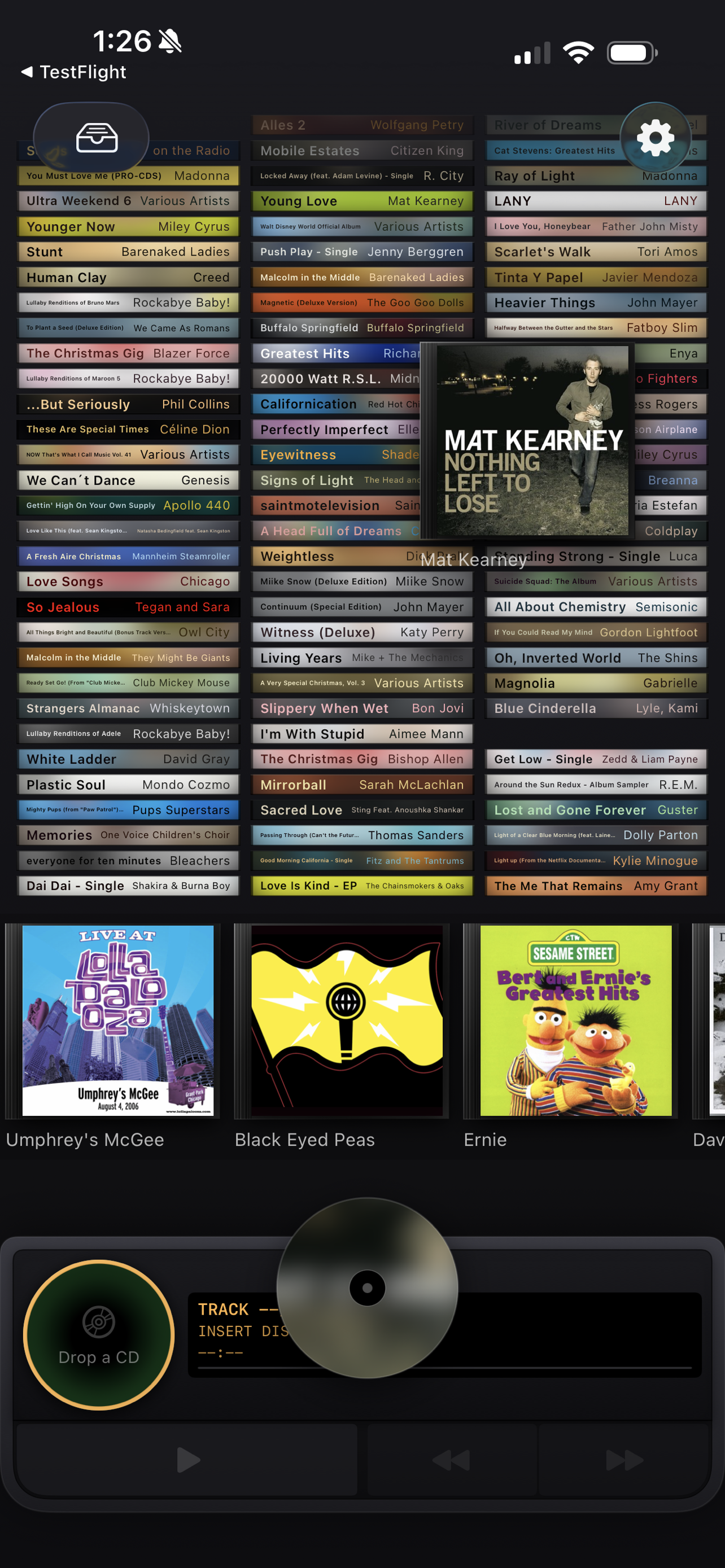
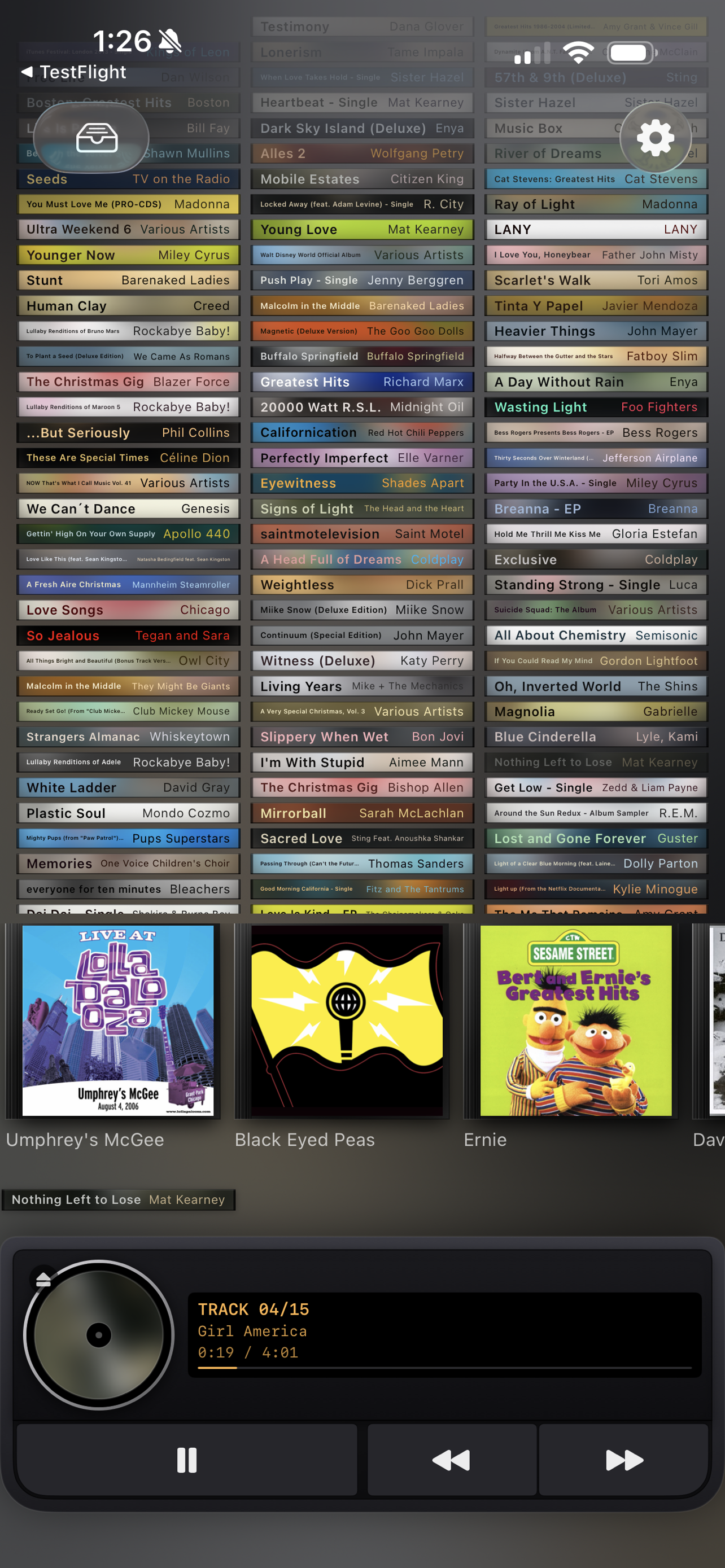
The interaction is the product. The rack populates from your Apple Music library automatically. To play an album, you drag it off the shelf — the case lifts under your finger, the disc pops free, and it slides down into the player. Drop a second disc on the player and it stacks: one playing, up to eight queued, and the next album loads itself when the current one ends. Tap the case on top of the player for the liner notes — full-size cover art, Apple Music's editorial notes where available, and a back-cover track list with credits and times.
Key features
- No shuffle button. Not hidden, not off by default — absent. An album plays in the order it was sequenced, or you play a different album.
- Your library, racked as spines. Shelves populate from your Apple Music library and recent plays — no importing, no playlists to rebuild.
- A shelf you actually keep. My Shelf is the curated one: the twenty or thirty records you keep going back to. What's at eye level says something.
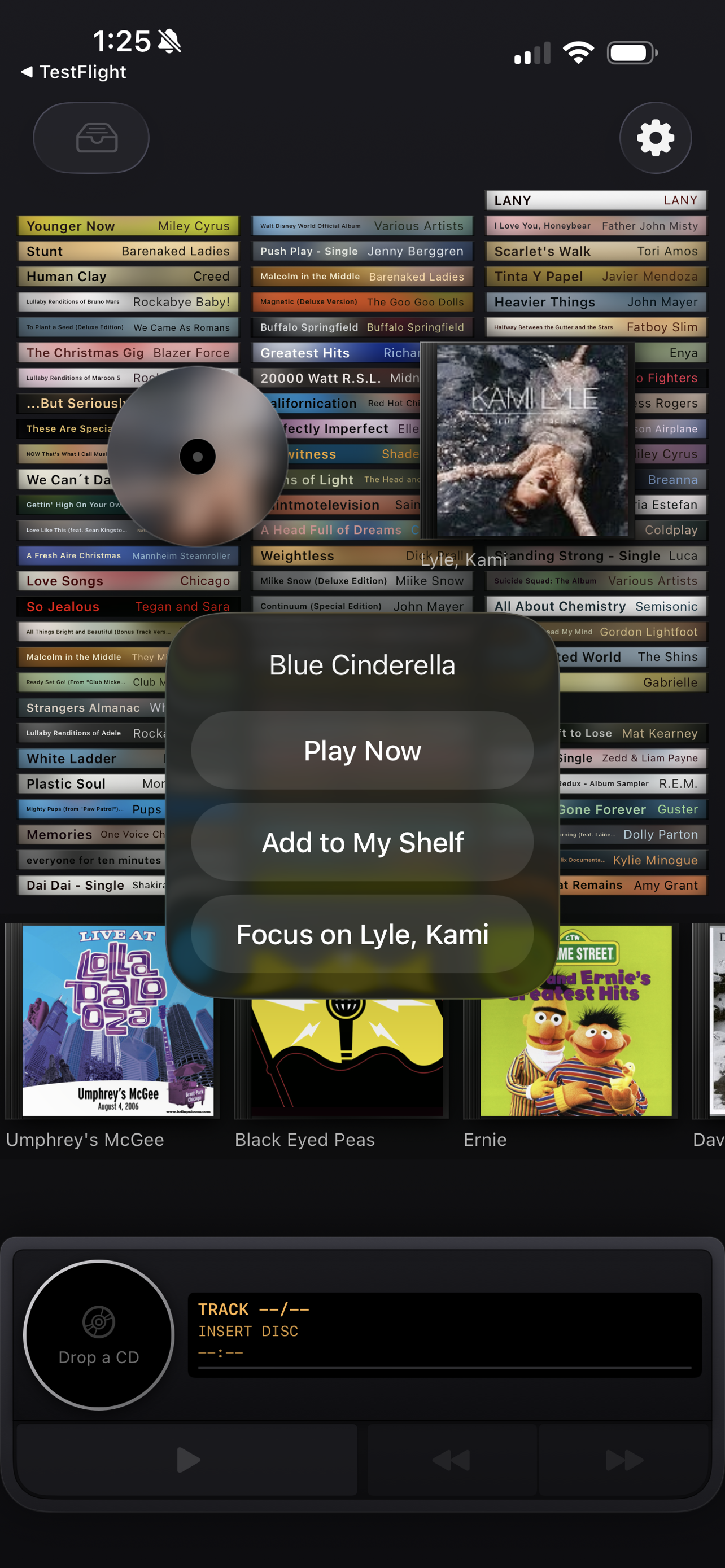
- Pull, don't tap. The case lifts under your finger immediately — no long-press — the disc pops free, and the album plays from track one.
- Stack up to nine. Drop a second disc on the player and it piles onto the chassis as a stack of spines — one playing plus eight queued. When an album ends, the next one loads itself. Drag a spine back off to un-queue it, and the stack survives a relaunch.
- Liner notes. Tap the spine on the player for full-size cover art, Apple Music's editorial notes where available, and a back-cover track list with credits and times.
- Home Screen widgets in three sizes, with working transport controls, and a small widget you can pin to a specific album.
- Flip any CD between spine and face, so a rack reads like a real shelf.
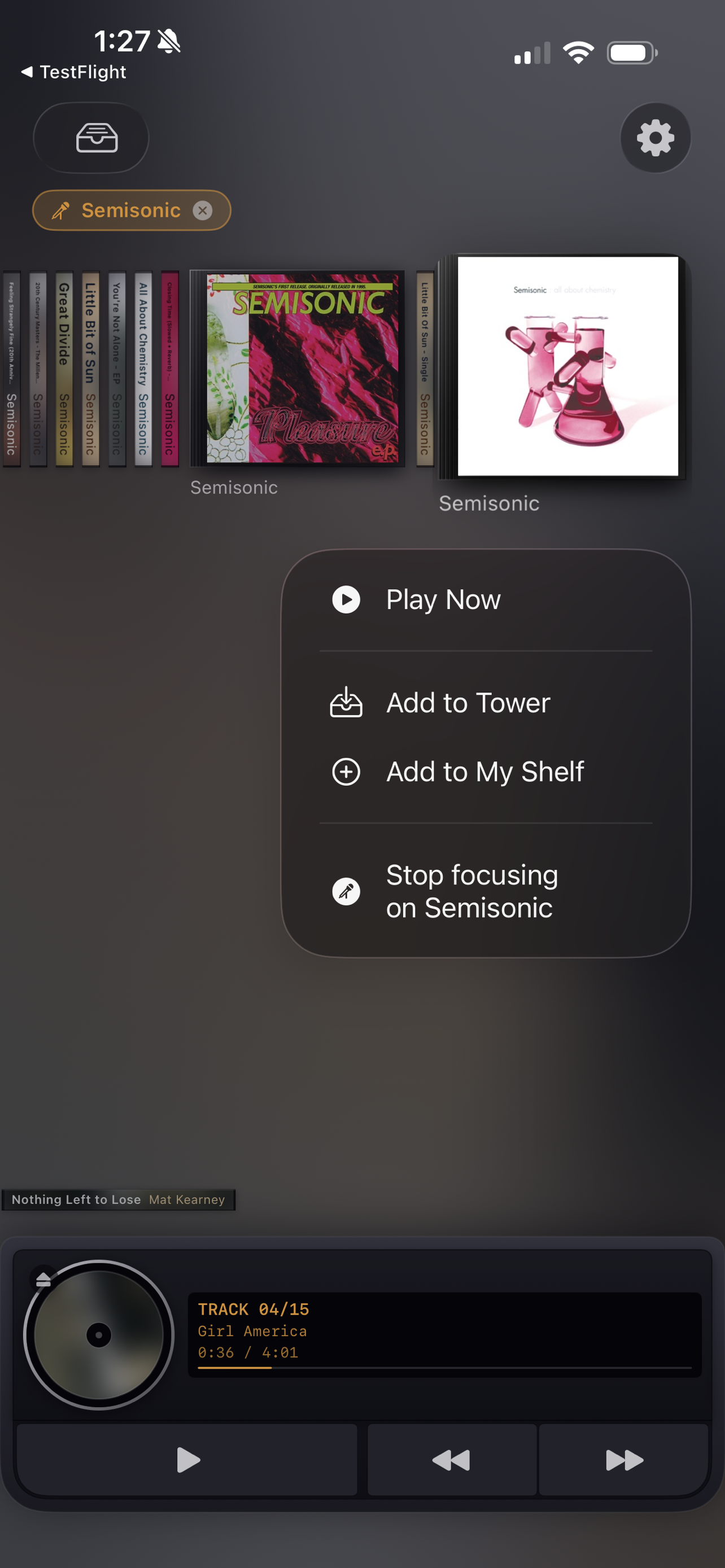
- Artist focus. Focus on any artist and the whole rack becomes their discography.
- Scrub like a real deck. Press and hold prev/next to seek at 2×, 4×, 8×, 16×.
- Built for VoiceOver. Every disc carries custom actions — Play Now, Add to My Shelf, Focus on Artist — so the drag is never the only way in, and there are Reduce Motion alternatives throughout. If you test with VoiceOver, I'd like to hear where it falls down.
Quotes — attributable to John Haney
"In college I'd carry a stack of CDs and a cribbage board down to the dorm lounge and play cards with the woman I later married while an album ran end to end. The record wasn't background — it was the reason we were sitting there."
"Streaming didn't take albums away. It just made them one tap out of ten million, and I stopped choosing."
"Somebody sequenced that record — fought over what goes at track five and what closes it — and the interface we all use treats that as optional. DiscOne treats it as the only way."
"There's no shuffle button. That's not an oversight I'm going to fix — it's the entire argument. You don't shuffle a CD you just put in."
"I shipped one of the original App Store apps in 2008. It was a flashlight. Eighteen years later I built the least disposable thing I could think of."
Q&A
Does it use the system player? Does playing an album here disturb the Music app? DiscOne uses Apple's ApplicationMusicPlayer, so it keeps its own queue — playing an album here doesn't touch what's queued in the Music app. And the audio is Apple Music, untouched: no EQ, no crossfade, no processing of any kind. The player is a costume; the sound is exactly what Apple Music sends.
Does AirPlay work? Audio follows the system route, so AirPlay works from Control Center. There's no route picker inside the app.
What if I don't have an Apple Music subscription, or it lapses? DiscOne presents Apple's own subscription sheet when it detects there's no active subscription, and it reloads your library automatically if you subscribe from there.
What is the Tower? What is My Shelf? The Tower is the rack itself — the vertical grid of CD spines built from your library. My Shelf is the curated row: the records you keep going back to. An album lives in exactly one of the two.
About the developer
Apps From Outer Space is a one-person app studio in St. Louis, Missouri, run by John Haney, who has been shipping Apple software since System 7 and released one of the original App Store apps in 2008. That app, Flashlight, has been downloaded more than 100 million times. The studio was incorporated in 2010. John designs, codes, tests, and supports every app himself.
Images
Every image below links to its full-resolution file — save any of them individually, or download everything as a zip. Screenshots are raw device captures with no frames or captions.
App icon — 1024×1024 PNG. The zip includes 512 and 256 renditions.
Video
Contact
John Haney — john@appsfromouterspace.com